

Equipment
The Equipment page is used to inventory the physical equipment you track at your customers’ sites (machines, installations, devices installed on site). Each piece of equipment retains its location and the history of its interventions.
When to use it
Section titled “When to use it”Create an equipment record as soon as a piece of equipment needs to be tracked over time: to know where it is, who is responsible for it, and all the interventions that concern it.
Create equipment
Section titled “Create equipment”- Click New.
- Enter the Name of the equipment.
- Select the corresponding Product.
- Fill in the Serial number.
- Select the Location / Site where it is installed.
- Assign an Operator / Person in charge if necessary.
- Click Save.
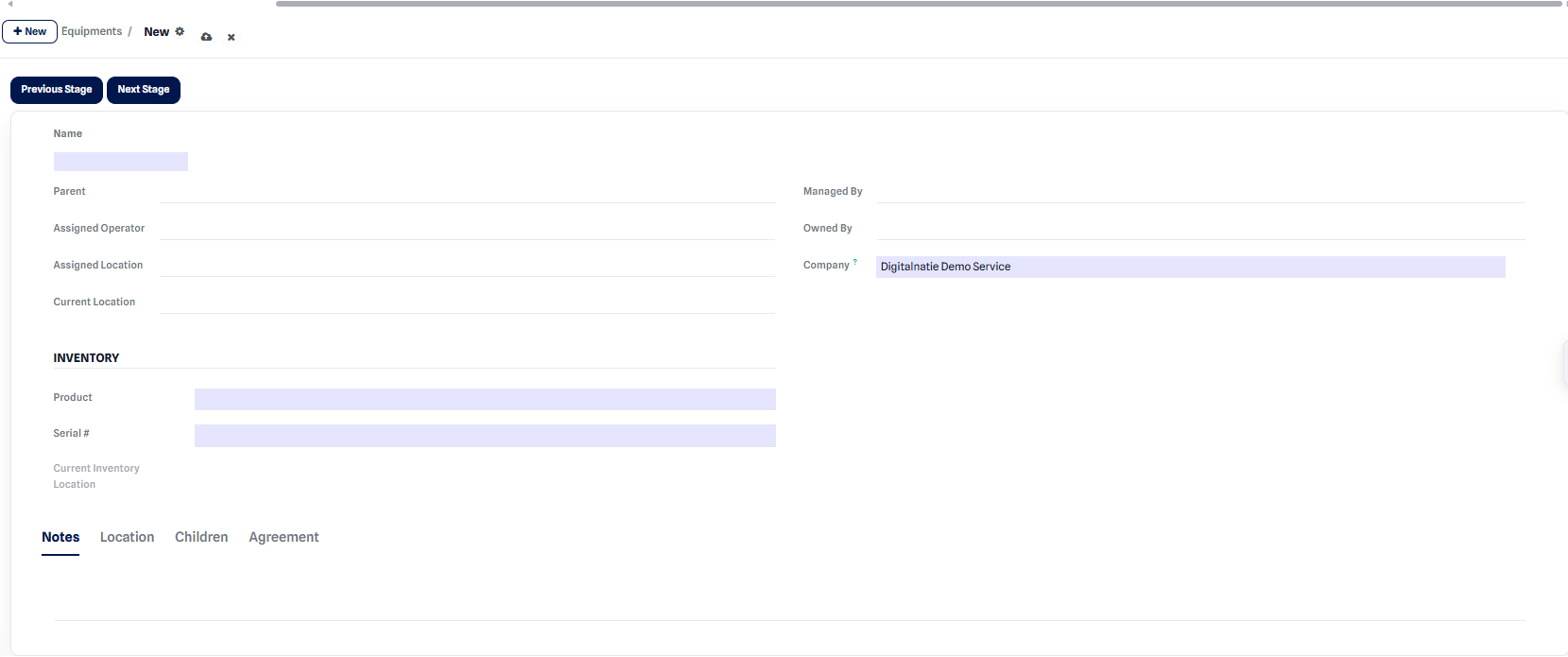 Equipment creation form.
Expected result: after saving, the equipment appears in the list and remains available to be linked to your interventions.
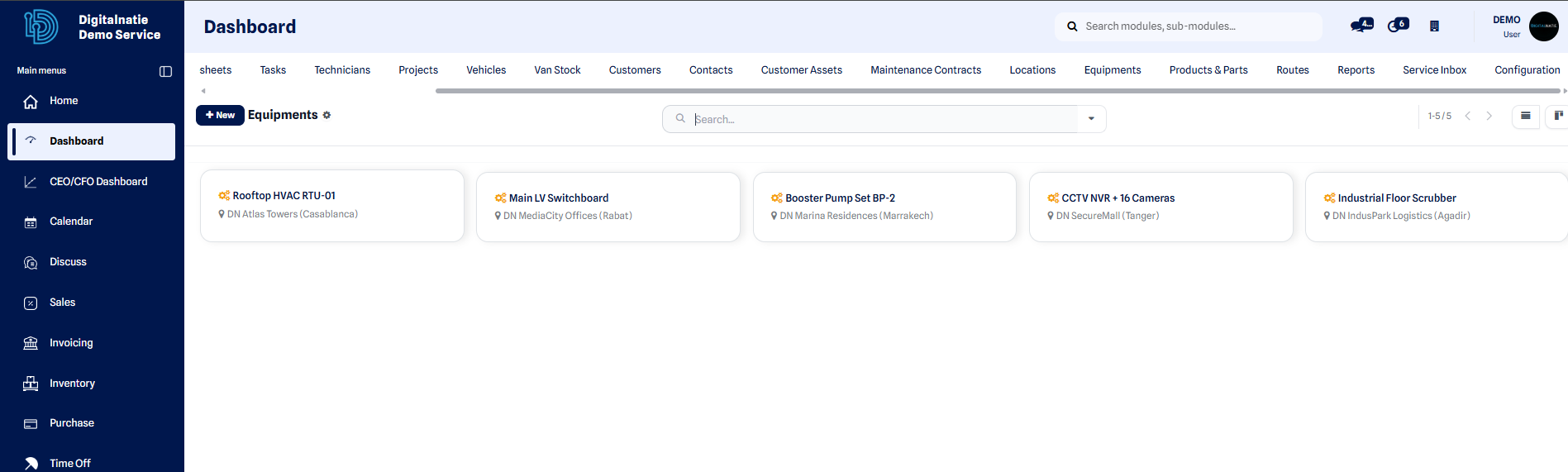 List of recorded equipment.
Link with customer assets
Section titled “Link with customer assets”A piece of equipment can correspond to a tracked asset on the customer side. See the Customers & assets page to link the equipment to the relevant asset and give the customer a clear view of their installed base.
Link with service orders
Section titled “Link with service orders”Each intervention is linked to the equipment concerned. Over time, these links build the history of the equipment: breakdowns, maintenance and repairs remain accessible from its record.