

Start & finish work
Time tracking records the start and end time of a job. The time spent is then automatically reported on the service order.
When to use it: as soon as you arrive on site, then when you leave the site, for each job in your day.
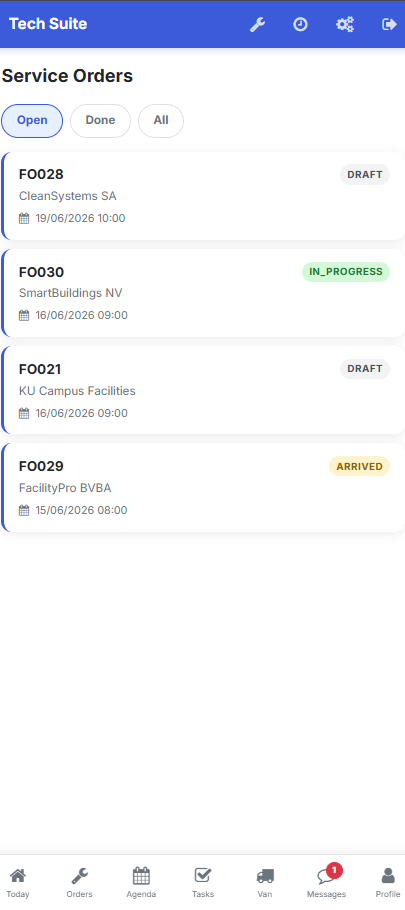 Tap the job in the list to open it and access the actions.
Start a job
Section titled “Start a job”-
Open the relevant job from your list of service orders.
-
Tap Start work. The job moves to the In progress status and the start time is recorded.
Result: the job is displayed as In progress and the time-spent timer starts automatically.
Finish a job
Section titled “Finish a job”-
Once the work is done, enter the parts used.
-
Tap Finish. The end time is recorded.
-
Write the report and have the customer sign.
Result: the job moves to Done, the duration is calculated and the service order is ready for invoicing.
Time spent
Section titled “Time spent”| Data | Source |
|---|---|
| Start time | Start work action |
| End time | Finish action |
| Duration | Calculated automatically |
This duration feeds the timesheet and the labour invoicing.