

Products & parts
The Products & parts catalog brings together every item you sell, buy or consume: physical parts, supplies and service work. Each quotation line, purchase order or intervention is based on an item from this catalog.
When to use it: create the item before you sell it, buy it or consume it on an intervention. A clean catalog ensures accurate quotations and invoices.
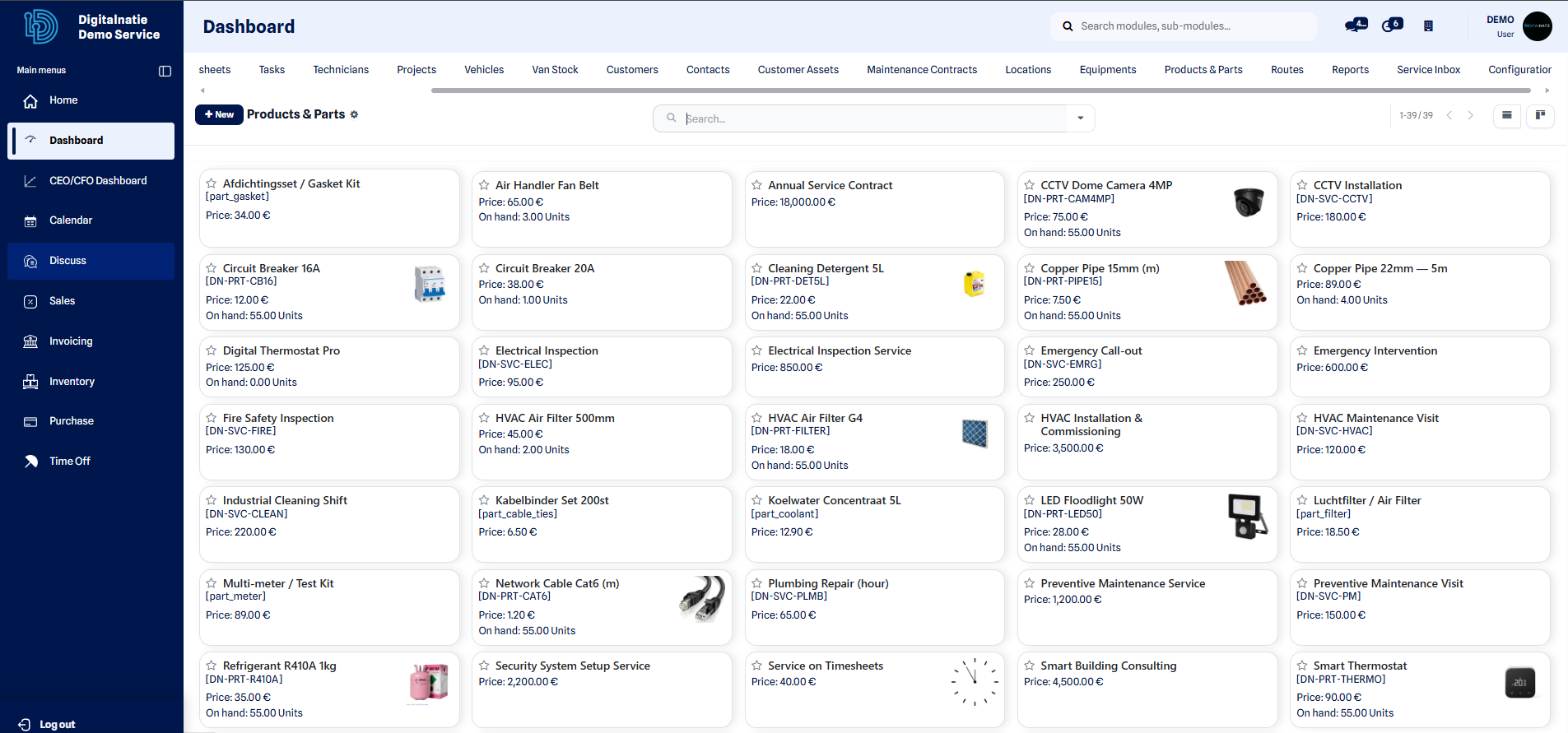 Catalog: reference, sales price, cost and available stock.
Create a product or a part
Section titled “Create a product or a part”- Open the Products & parts catalog, then click New.
- Enter the Name of the item (e.g. Air filter, Labor).
- Choose the Product type: Storable good, Consumable or Service.
- Fill in the Sales price (amount billed to the customer).
- Fill in the Cost (purchase price or cost price).
- Add the applicable Taxes if needed.
- Assign a Category to organize the catalog.
- Add an internal Reference and/or a Barcode if needed.
- Enable Stock tracking for the parts you want to count.
- Click Save.
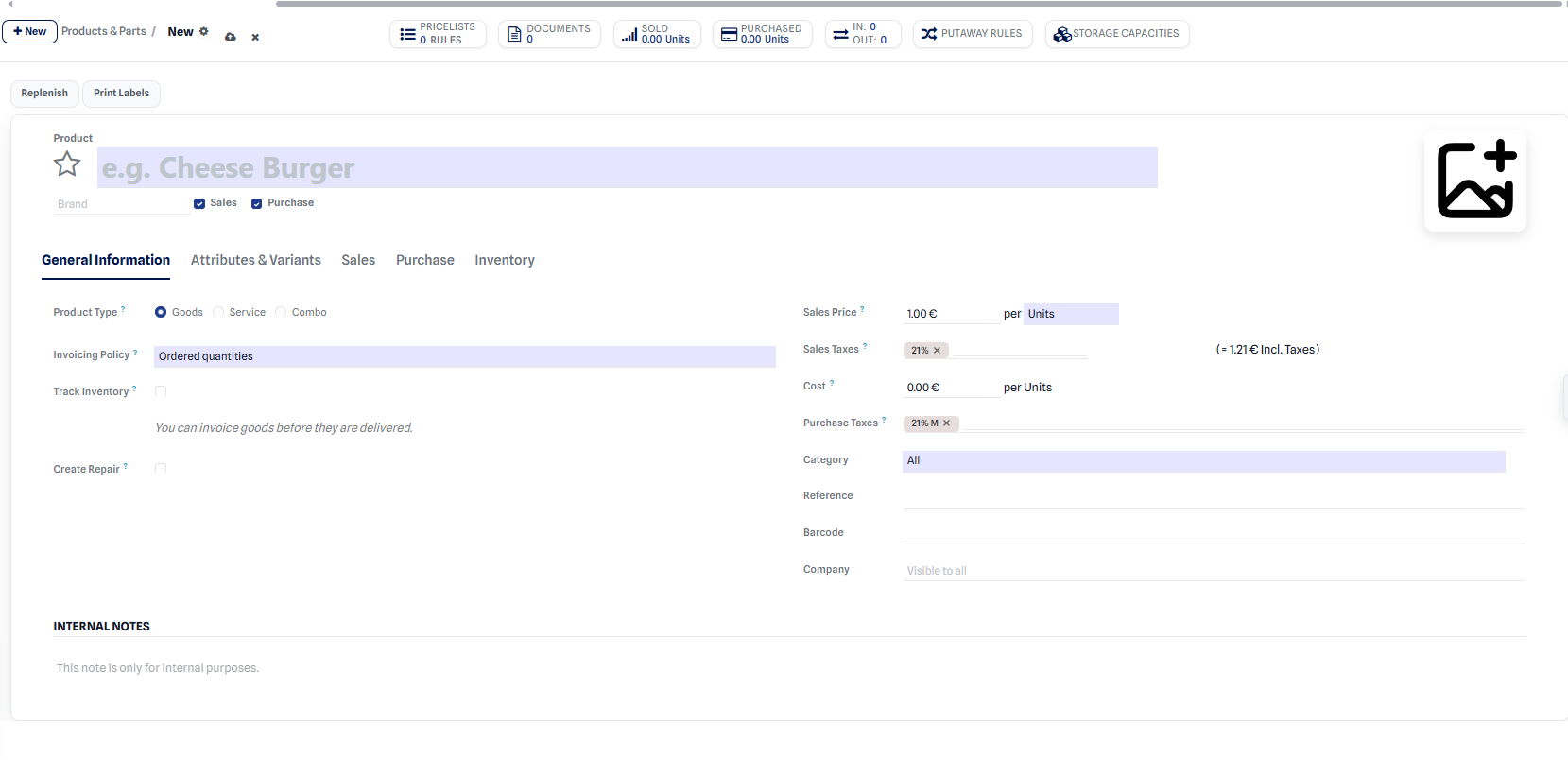 Item record: name, type, sales price, cost, taxes and category.
Result: the item appears in the catalog and becomes selectable in quotations, purchase orders and interventions.
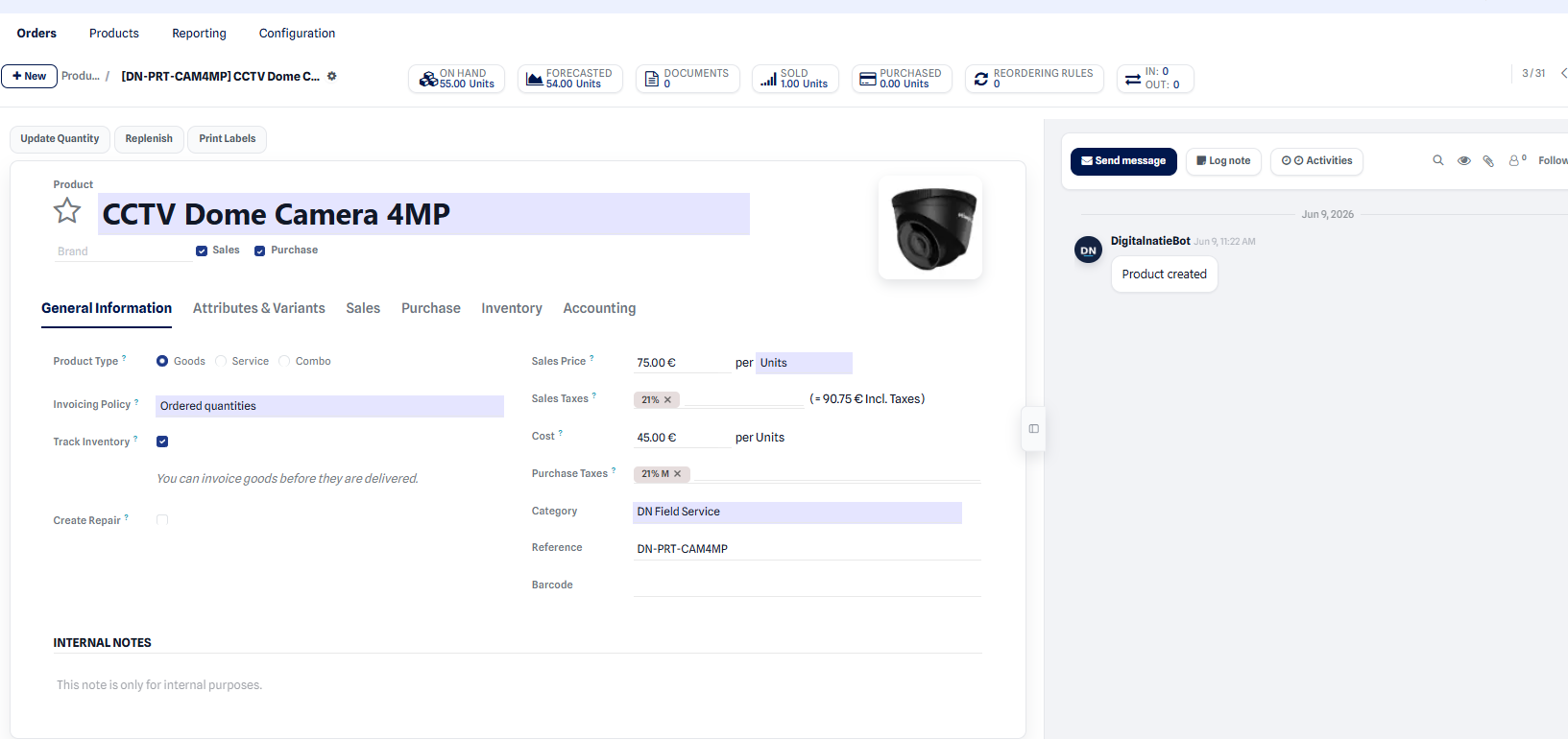 Detailed product record: sales price, cost, category and stock tracking.
Storable good, consumable or service?
Section titled “Storable good, consumable or service?”| Type | Use for | Example |
|---|---|---|
| Storable good | Physical part whose quantities are tracked | Filter, gasket, spare part |
| Consumable | Supply used without precise quantity tracking | Screws, small supplies |
| Service | Non-stocked work (time, travel) | Labor, travel |
- Choose Storable good for a physical part kept in stock, when you want to know the available quantity and trigger replenishment.
- Choose Service for non-stocked work (labor, travel, flat-rate package): it is invoiced but consumes no stock.
Next step
Section titled “Next step”- Track part quantities in the inventory.
- Replenish parts from vendors via purchases.
- Parts Readiness
- Warehouse map