

Inventory
Inventory lets you view the stock of items (parts, supplies, consumables), spot items that are low in stock, and request a replenishment before a part runs out in the field.
When to use it: whenever you prepare upcoming jobs, check the van stock loaded in your vehicles, or when a low-stock alert flags an item that needs to be reordered.
View stock
Section titled “View stock”Open Inventory to see all items: reference, quantity on hand, and storage location.
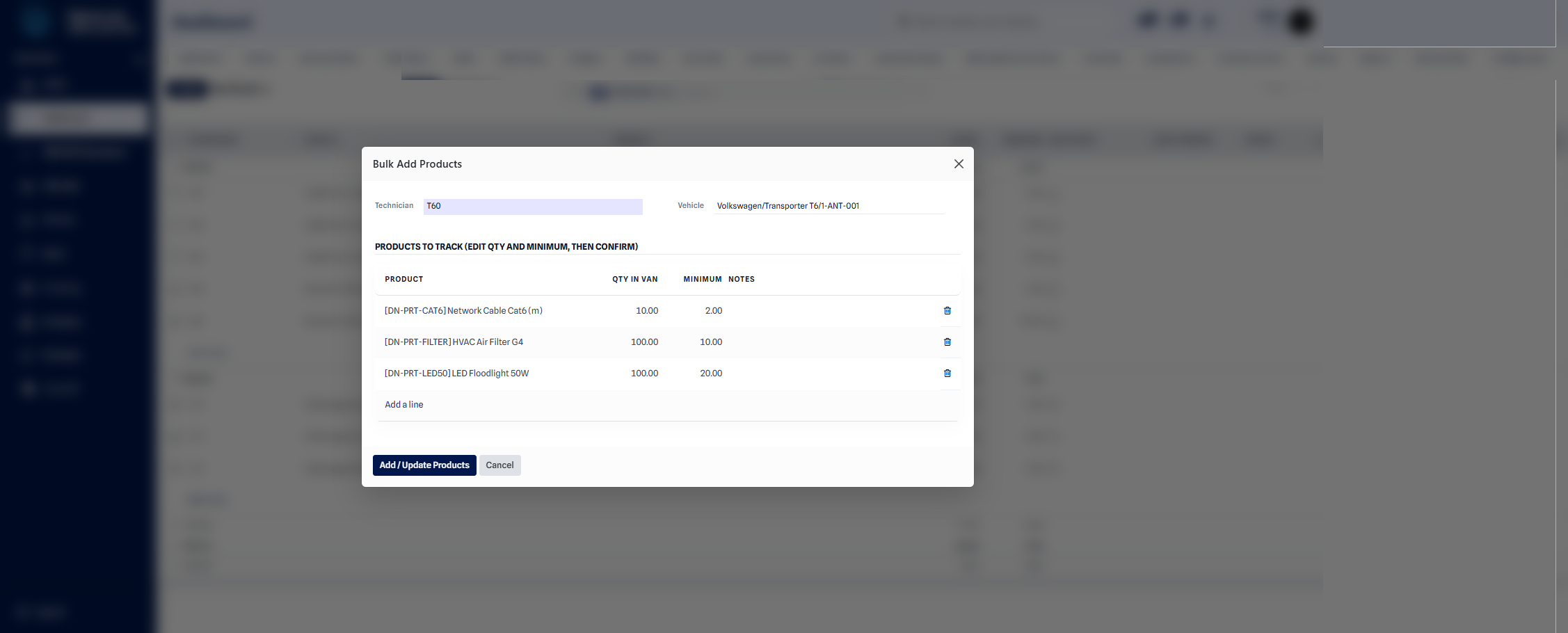 List of items in stock with quantities on hand and locations.
Understanding low stock
Section titled “Understanding low stock”An item becomes low in stock as soon as its quantity on hand drops below the minimum you have set for it. This is the signal that you should reorder it to avoid a shortage during upcoming jobs.
Understanding van stock
Section titled “Understanding van stock”Van stock is the stock carried in each vehicle. It belongs to the vehicle, not the technician: a technician is assigned to a vehicle and works from that vehicle’s stock. Parts are deducted automatically when they are used in the field via the Technician App, and the full fleet picture is available on the Van Stock dashboard.
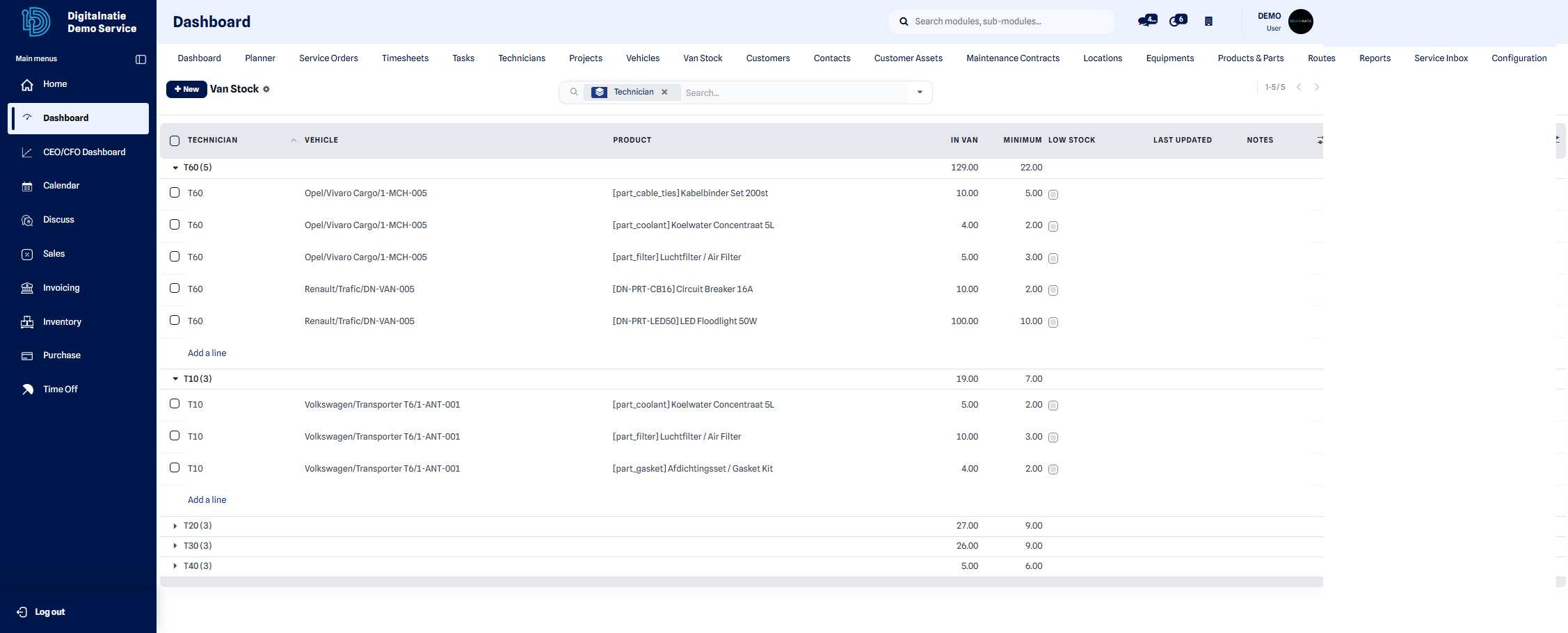 Van stock: parts carried per vehicle, with quantities and thresholds.
How stock moves
Section titled “How stock moves”Every part movement is traceable, and stock is never counted twice:
| Movement | From → To | Effect |
|---|---|---|
| Replenishment | Warehouse → Vehicle van location | Warehouse decreases, vehicle stock increases |
| Part used | Vehicle van location → Service consumption | Vehicle stock decreases; total internal stock decreases |
| Returned part | Service consumption → original vehicle | The part goes back to the same vehicle |
The total internal stock only decreases when a part is actually consumed on a job — moving a part from the warehouse to a vehicle simply relocates it. A returned part always goes back to the same vehicle it came from.
Request a replenishment
Section titled “Request a replenishment”Purpose: flag that an item must be reordered or transferred to replenish stock.
When to use it: as soon as an item appears low in stock, or when you anticipate a need for scheduled jobs.
- Open Replenishment from the Inventory menu.
- Select the relevant stock line (the item and its location).
- Enter the requested quantity.
- Click Save, then Submit the request.
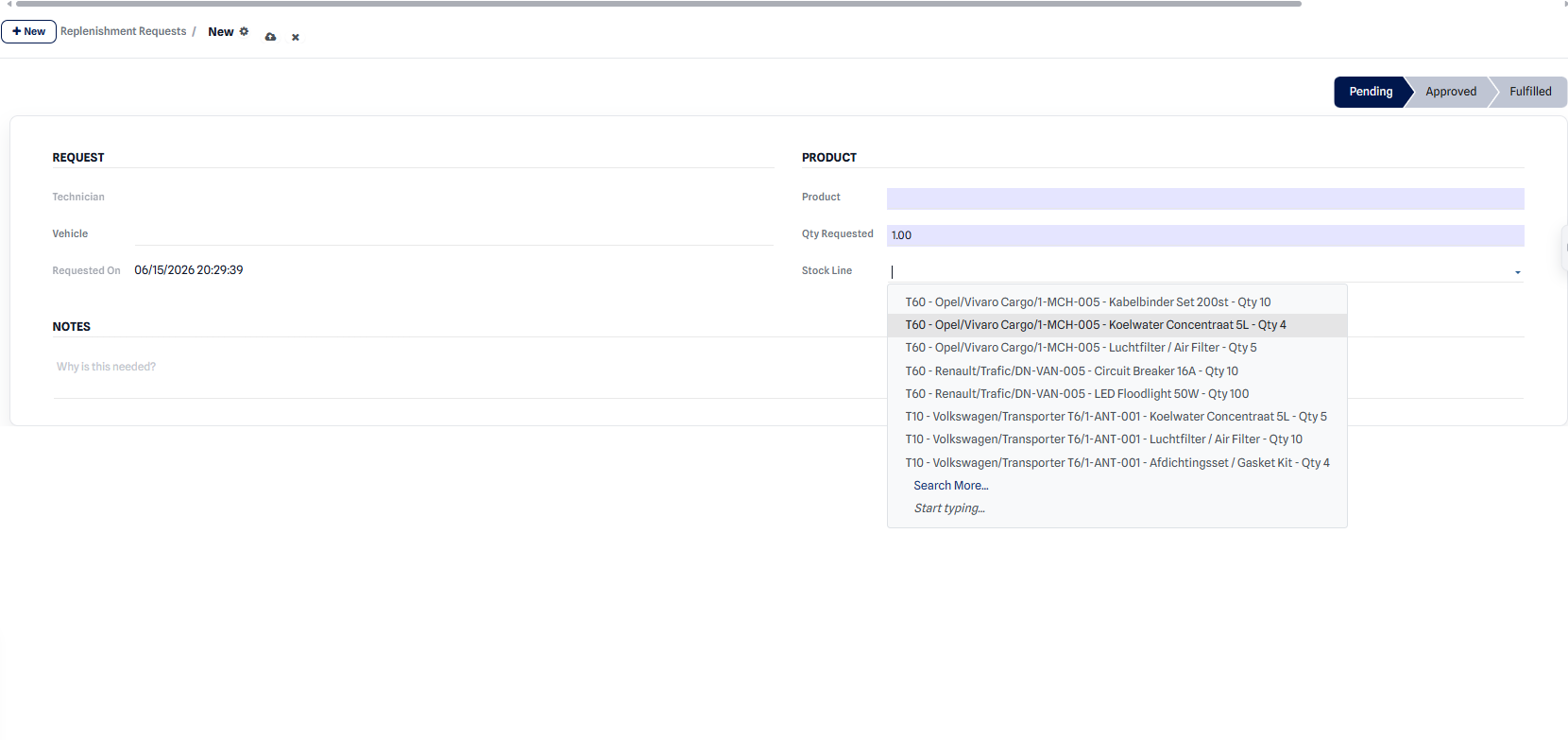 Creating a replenishment request for an item that is low in stock.
Result: the request is created with the Pending status and appears in the list of replenishments to process.
Track a request’s statuses
Section titled “Track a request’s statuses”Each replenishment request moves through three statuses:
| Status | Meaning |
|---|---|
| Pending | The request is submitted and awaiting validation. |
| Approved | The request is validated; replenishment is underway. |
| Fulfilled | The parts are received and stock is updated. |