

Asset QR codes
Every asset can carry a QR sticker. Whoever scans it gets the screen that suits them: a customer or operator sees a report form, a logged-in technieker sees the asset record. The server decides that, not the browser.
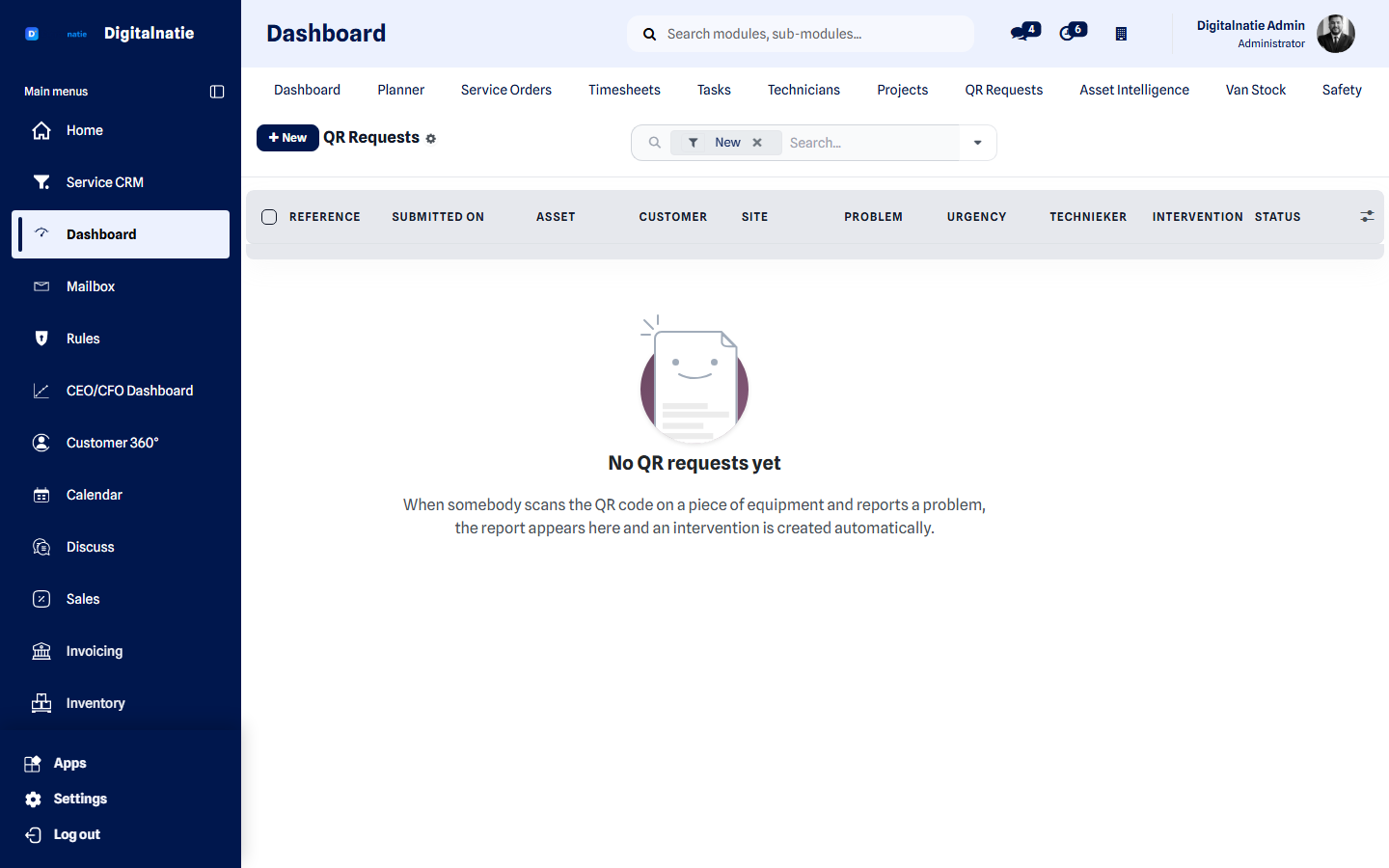 Reports that arrived through a QR code on an asset.
What you use this for
Section titled “What you use this for”- Letting your customer report a problem without a phone call and without an account.
- Making sure a report attaches to the right asset, the right site and the right customer.
- Having exactly one intervention created per report.
- Letting techniekers open the right asset on site without searching lists.
Who can use it
Section titled “Who can use it”| Role | What they do |
|---|---|
| Service manager | Prints the labels and follows up the reports |
| Customer or operator | Scans and reports a problem — no account needed |
| Technieker | Scans and opens the asset record in the app |
Prerequisites: every asset must be attached to a site, otherwise the report cannot be linked correctly. Agree your report categories before rolling out labels. Reporting requires an internet connection.
The two experiences
Section titled “The two experiences”For the customer or operator — reporting
Section titled “For the customer or operator — reporting” What a customer sees after scanning: category, urgency, description and photos.
Anyone not logged in gets a simple mobile page to report a problem:
| Field | Explanation |
|---|---|
| Category | The type of problem |
| Urgency | How urgent it is |
| Description | What exactly is going on |
| Photos | Up to five photos of the problem |
For the technieker — the record
Section titled “For the technieker — the record”If a logged-in technieker scans the same code, the asset screen opens in the Technician App with exactly the information their rights allow: history, contract, warranty, documents — and the buttons to start or stop downtime.
What happens after a report
Section titled “What happens after a report”Customer scans QR ─▶ fills in the report ─▶ submits │ ┌─────────────────┴────────────────┐ ▼ ▼ Report record One single service order (with photos) (customer + site + asset linked) │ ▼ Technieker is notified in the app-
The report is stored as a traceable report record with its own number and the submitted photos.
-
Exactly one intervention is created, linked to the asset, the customer and the site.
-
The intervention is assigned on the server according to your rules.
-
The technieker sees it immediately in the app, without refreshing.
Printing QR labels
Section titled “Printing QR labels” The QR code and the print button on the asset record.
-
Open the asset in Customers & assets.
-
Click Print QR label.
-
Stick the label somewhere that stays visible: not behind a door, not on a hot surface, not where it gets hosed down.
Security
Section titled “Security”- The code contains a token, not an asset number. Nobody can reach other assets by changing a digit in the address.
- The server determines what you see based on your login, not on what your phone claims to be.
- Every report is stored with its timestamp and content, so always traceable.
- The form is limited to five photos per report.
Best practices
Section titled “Best practices”- Label the assets customers operate themselves first. That is where you gain most: exactly there the phone description is vaguest.
- Explain the sticker to your customer. One sentence at handover — “scan this if something’s wrong” — decides whether it will ever be used.
- Agree your categories before rolling out, so reports arrive usefully grouped.
- Check that every asset has a site. Without a site, the report cannot be attached correctly.
- Replace damaged labels during maintenance — an unreadable code is a phone call.
Troubleshooting
Section titled “Troubleshooting”Can someone who photographs the code misuse it later? They can only report a problem for that one asset. No history, no price and no other asset is reachable.
What if a customer reports the same thing ten times? You get ten reports, because each one could be a genuine new incident. You see them grouped on the asset and can merge the interventions.
Does my customer need an app? No. Their phone camera is enough.
Does scanning work without internet? Reporting requires a connection. For the technieker, the asset screen participates in the app’s offline behaviour.
Can I decide who receives the report? Yes, assignment follows your own rules and happens on the server.
Next step
Section titled “Next step”- Customers & assets — assets and labels
- Asset Intelligence — history and health
- Scan asset & downtime — the app side
- Service orders — what comes out of a report
- Customer File 360° — reports in customer context