

Planning
Planning is used to organize service orders over time: you assign each intervention to a technician, a specific date and a specific time. Once scheduled, the order appears in the calendar of the technician concerned and syncs with their Technician App.
When to use it? Whenever a service order needs to be assigned to a technician and placed on a time slot: preparing the next day’s schedule, rebalancing workloads, or scheduling an urgent request.
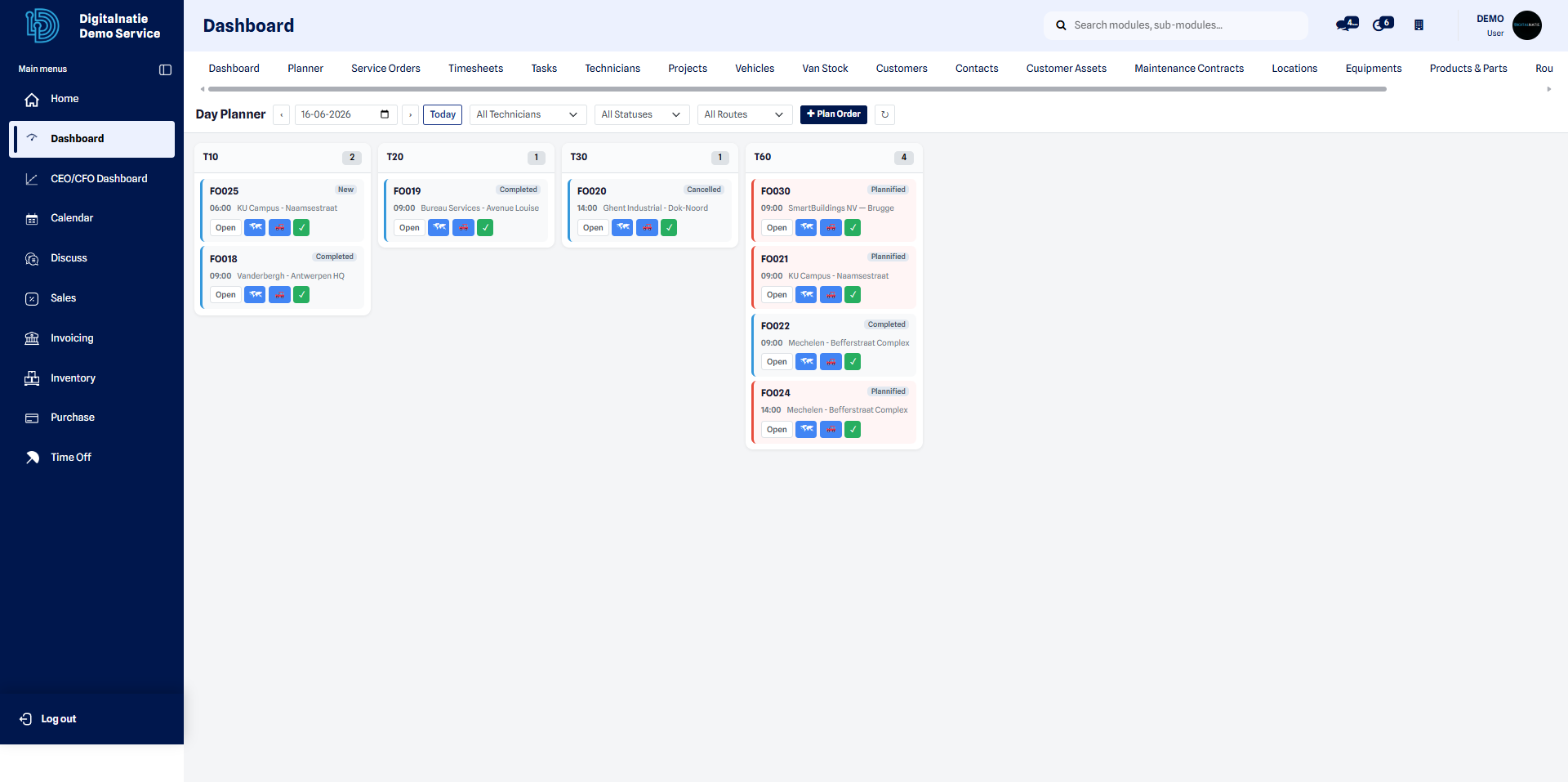 Daily view: all of the day’s orders, broken down by technician.
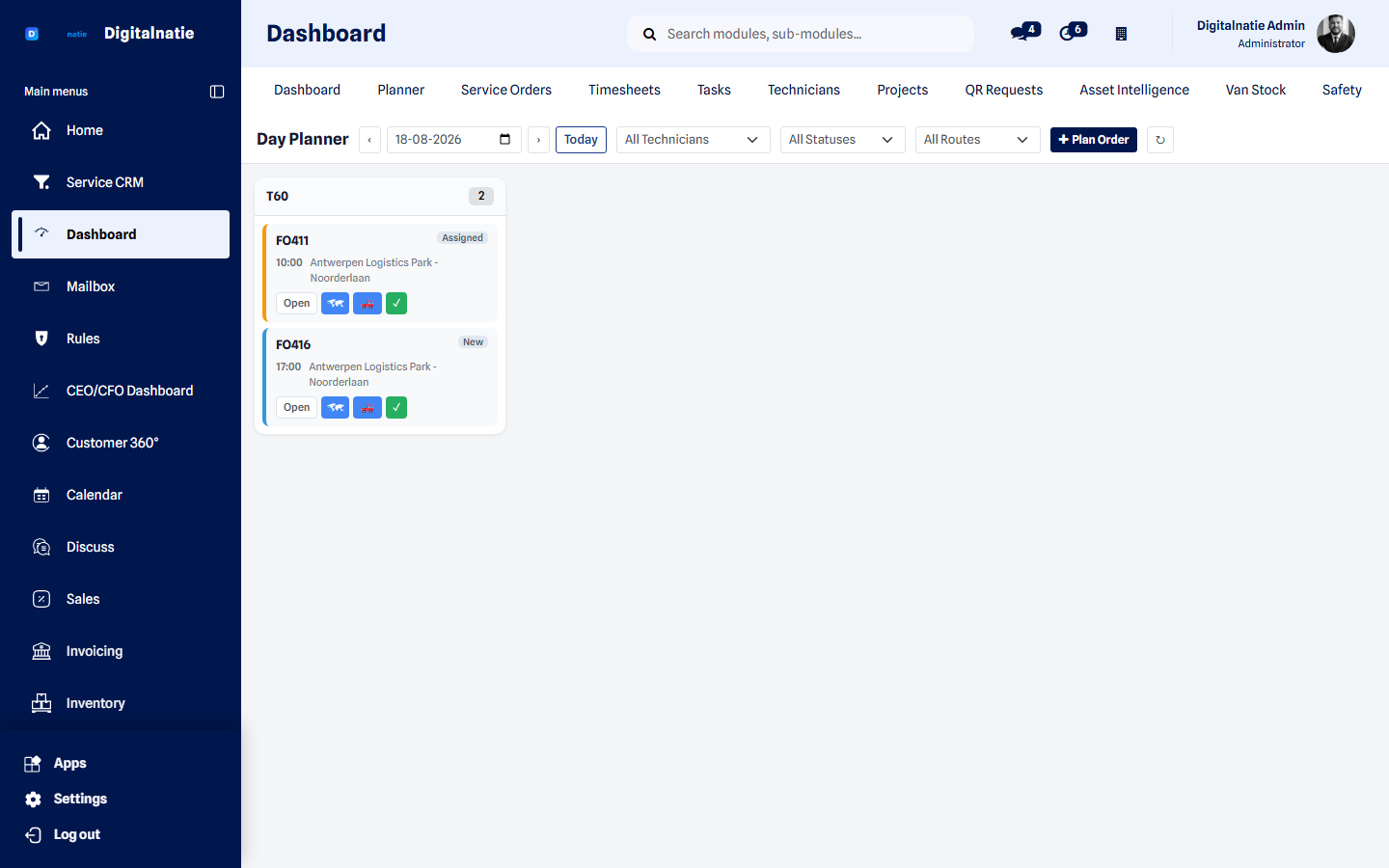 The planner: the day’s work spread across your techniekers.
Schedule a service order
Section titled “Schedule a service order”Follow these steps to assign an order to a technician and place it on a time slot.
- Open the Planning from the management workspace menu.
- Choose the date to organize at the top of the view (day or week).
- Locate the row of the technician to assign the intervention to.
- Click Plan Order to open the scheduling window.
- Select the customer concerned by the intervention.
- Select the technician who will carry out the visit.
- Choose the date and time of the slot.
- Click Save to confirm the plan.
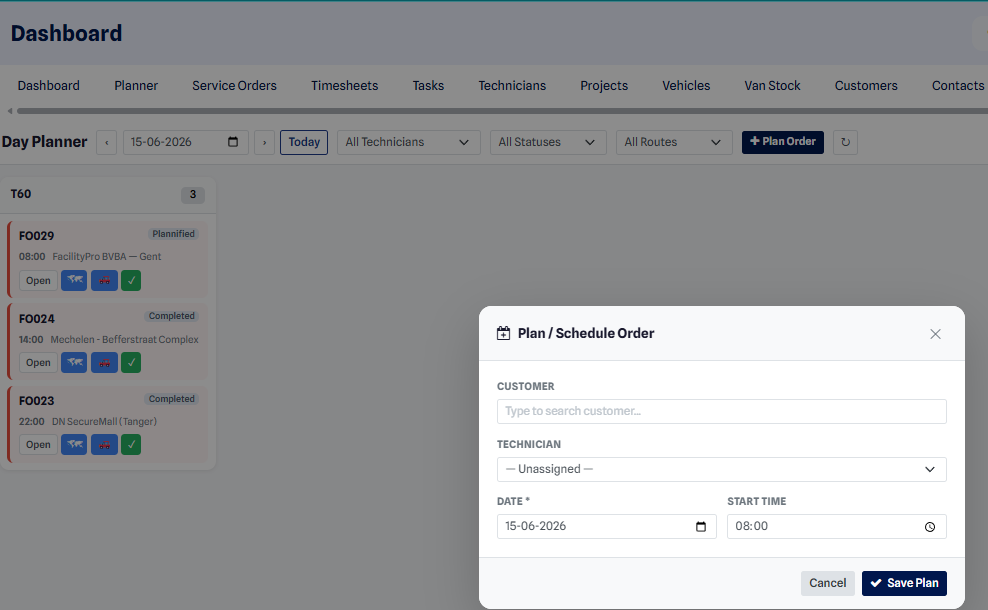 The “Plan Order” window: customer, technician, date and time.
Expected result: as soon as you save, the order appears in the Planning on the chosen technician’s row, at the selected slot. The technician finds it immediately in their calendar through the Technician App.
How orders are displayed
Section titled “How orders are displayed”The Planning presents a grid: each technician occupies a row, and each time slot a column. A scheduled order appears as a block positioned at the intersection of the right technician and the right time. At a glance, you see everyone’s workload and spot technicians who are available or overloaded.
View on the map
Section titled “View on the map”The map view displays scheduled orders at their geographic location. It helps group nearby interventions and assign the visits of a single area to the same technician over the day.
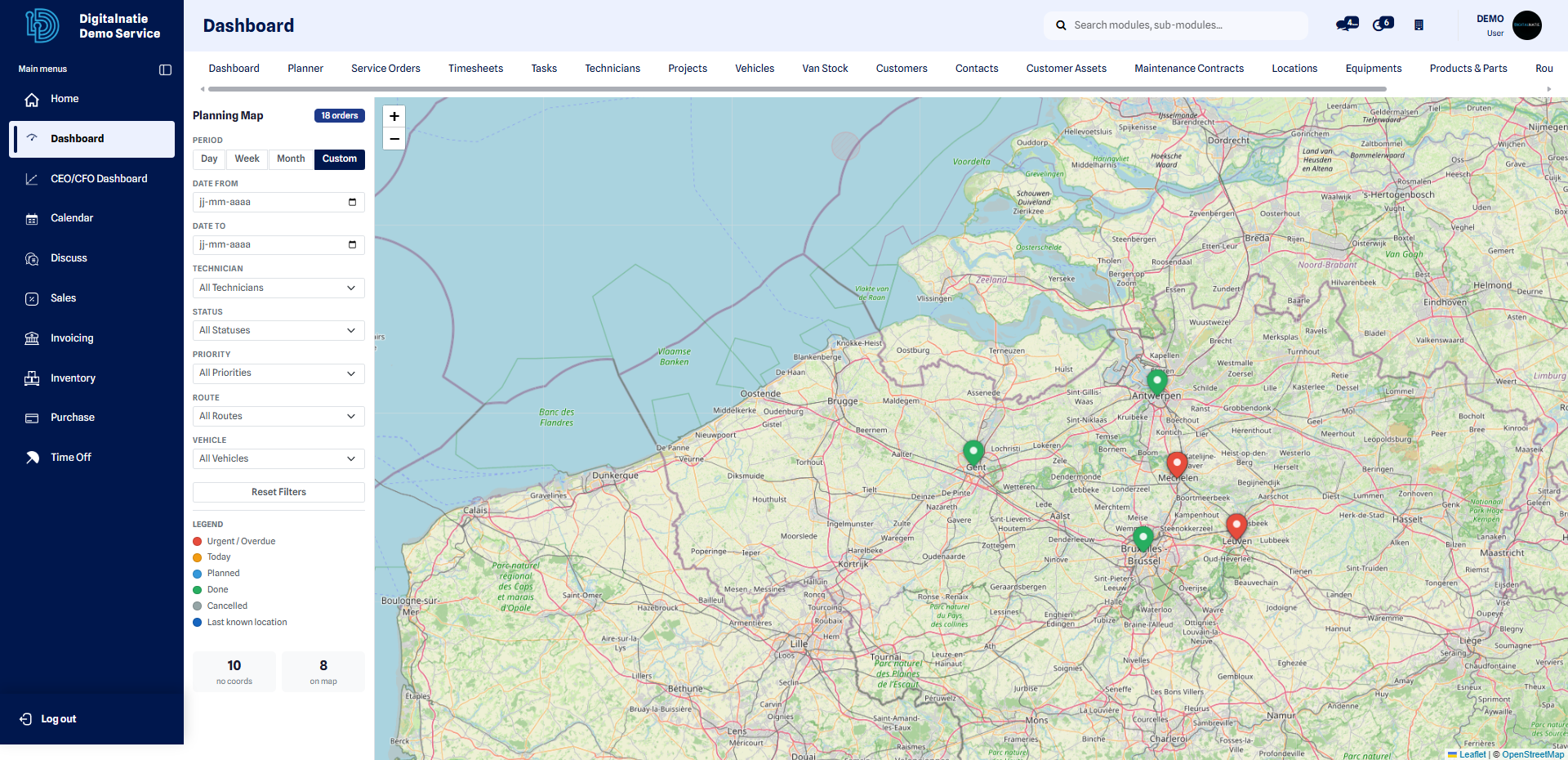 Map view: the day’s orders positioned by geographic area.
Optimize routes
Section titled “Optimize routes”The route optimizer suggests the most efficient visit order for a technician’s interventions, in order to reduce travel and time on the road over the day.
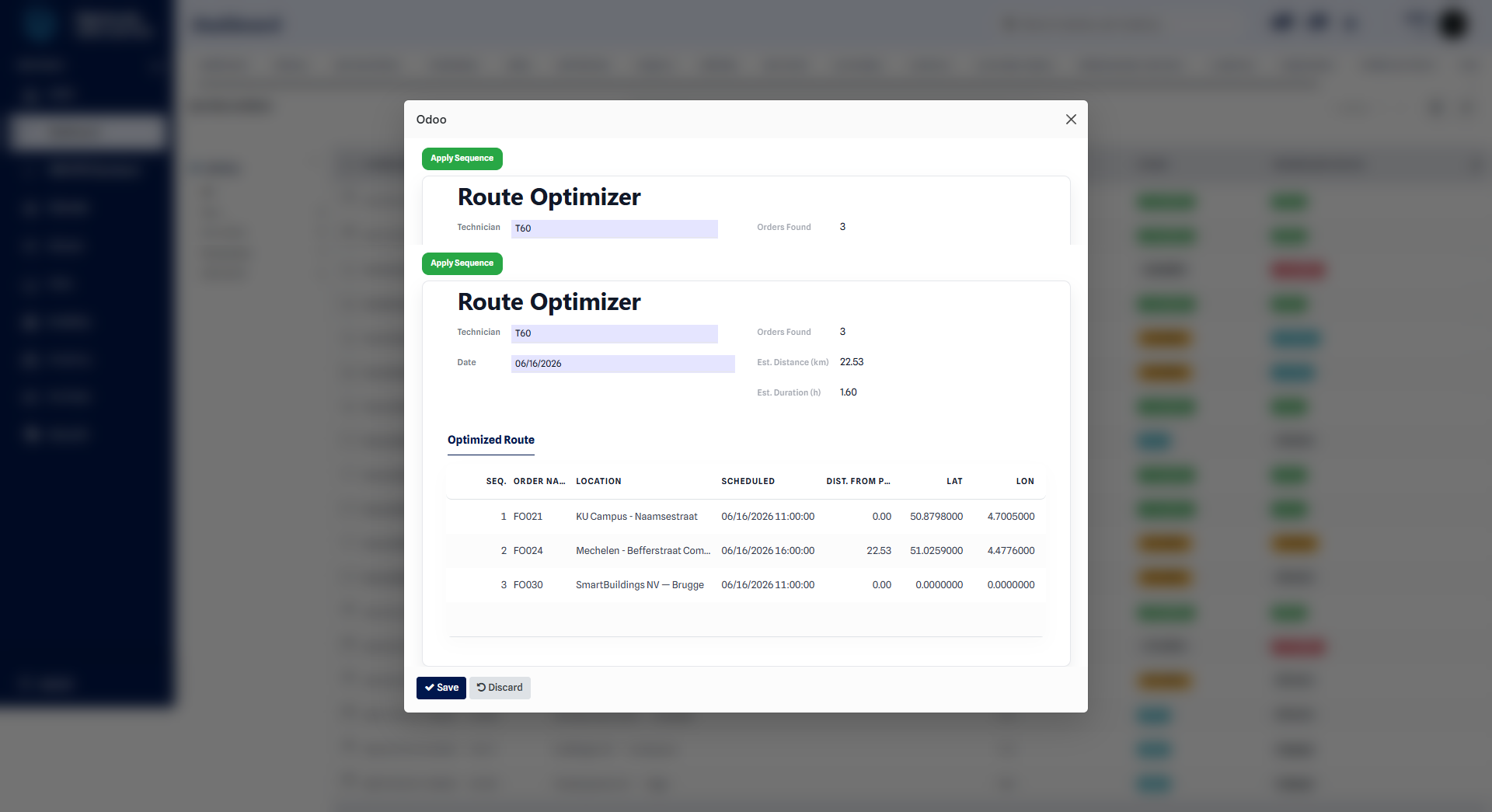 The optimizer suggests the ideal visit order to limit the kilometers.