

Messages
The Technician App includes an internal messaging feature that lets you communicate with your manager and the rest of the team without leaving the app.
When to use it
Section titled “When to use it”Use messaging during your routes, whenever you need a quick exchange with the office.
| Situation | Action |
|---|---|
| Question about a job | Message the manager from the service order |
| Report an unexpected issue / delay | Send a message to the office |
| Request a missing part | Notify the management team |
Sending a message
Section titled “Sending a message”- Open Messages (or the discussion area of a service order).
- Write your message.
- Send it.
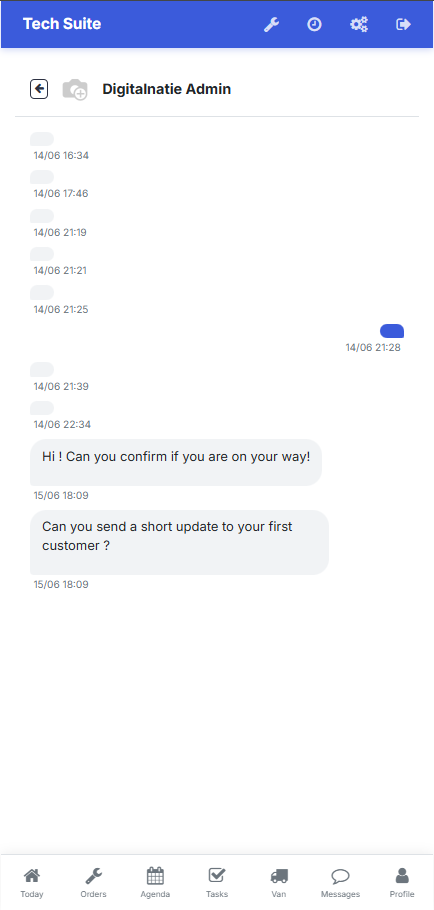 The Technician App messaging, for exchanges with the office.
Result: your message is sent immediately and the manager receives it in the management workspace. Their reply appears in the same conversation.