

Van Stock
The Van Stock Overview is the control tower for the parts carried in your service fleet. At a glance it shows how much stock sits in the central warehouse, how much is loaded across your vehicles, which lines are running low or out, and what has been consumed in the field.
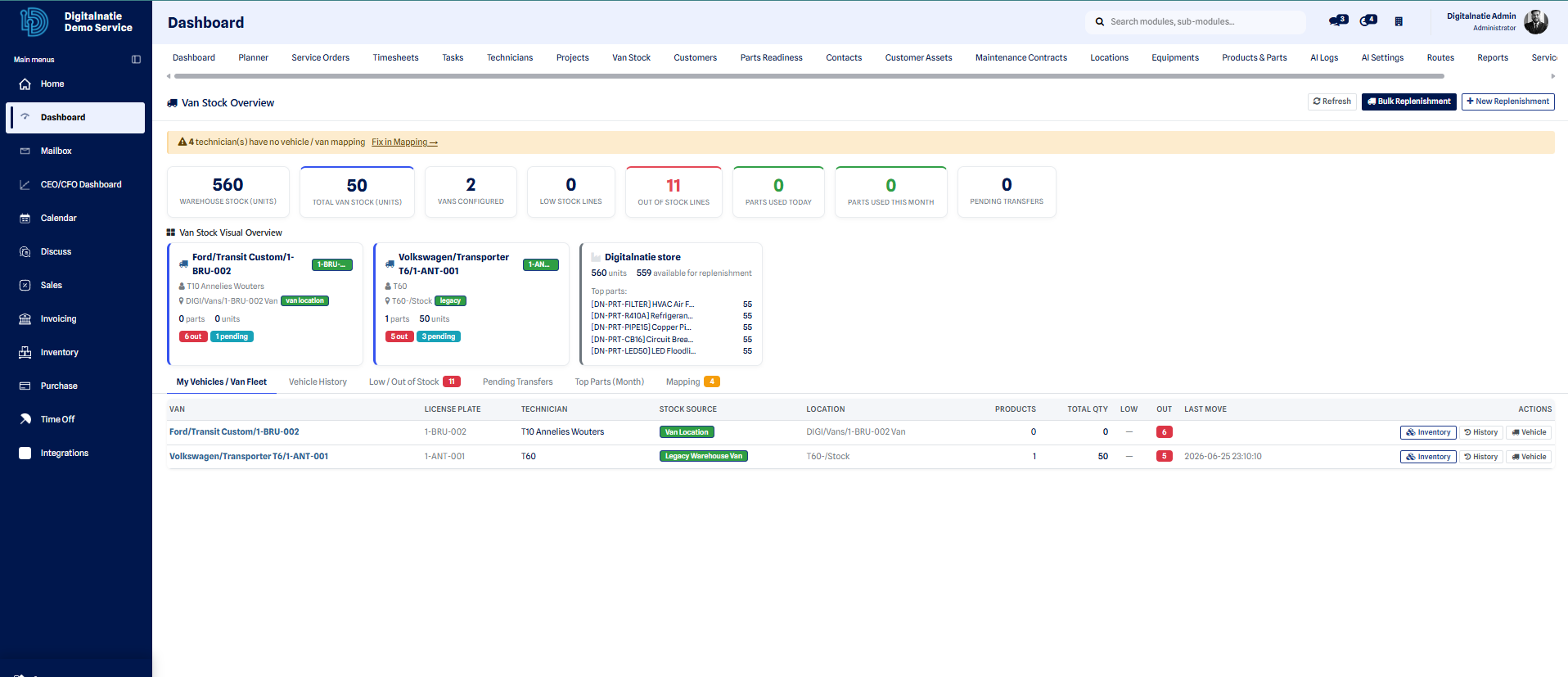 The Van Stock Overview: key figures across the top, detail tabs below.
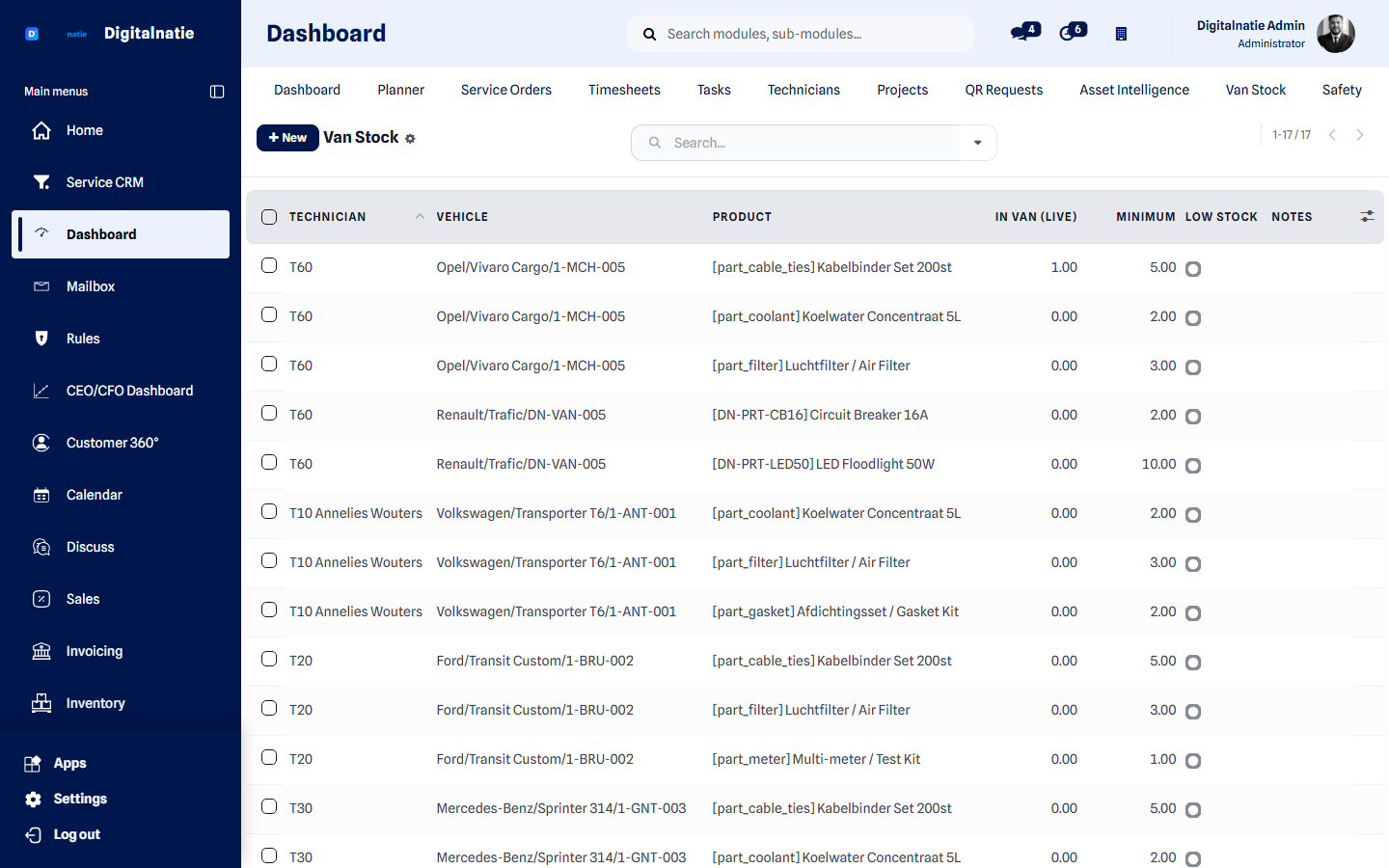 What is in each van right now.
Key figures (KPIs)
Section titled “Key figures (KPIs)”The cards along the top summarise the whole fleet in real time:
| KPI | What it shows |
|---|---|
| Warehouse Stock | Total units available in the central warehouse |
| Total Van Stock | Total units currently loaded across all vehicles |
| Vans Configured | Number of vehicles set up with their own stock location |
| Low Stock Lines | Vehicle lines that have dropped below their minimum |
| Out of Stock Lines | Vehicle lines that have reached zero |
| Parts Used Today | Parts consumed on jobs today |
| Parts Used This Month | Parts consumed on jobs this month |
| Pending Transfers | Replenishments on their way to a vehicle, not yet received |
Detail tabs
Section titled “Detail tabs”| Tab | What you find there |
|---|---|
| My Vehicles / Van Fleet | The vehicles and the stock each one carries |
| Low / Out of Stock | Lines below threshold or at zero, with vehicle and minimum |
| Pending Transfers | Replenishments in transit to a vehicle |
| Top Parts (Month) | The most-used parts over the month |
| Vehicle History | Who used which part, on which order, and when |
Configure a vehicle for stock
Section titled “Configure a vehicle for stock”For van stock to work, each vehicle needs its own stock location and a technician assigned to it.
Replenish a vehicle
Section titled “Replenish a vehicle”Use New Replenishment (top right) to send parts from the warehouse to a vehicle. The movements and the resulting stock levels are explained in Inventory.