

Maintenance contracts
A maintenance contract schedules recurring interventions for a customer and a piece of equipment (e.g. quarterly servicing of a boiler). Once the contract is activated, the service orders are created automatically, with no manual entry.
When to use it
Section titled “When to use it”Create a contract as soon as a customer signs up for regular maintenance on an asset: periodic visits, mandatory inspections, preventive maintenance planned in advance.
Create a contract
Section titled “Create a contract”-
Open the Maintenance contracts menu, then click New.
-
Enter the Contract name (e.g. “Boiler servicing — Quarterly”).
-
Select the relevant Customer.
-
Select the Site / Location where the intervention will take place.
-
Link the Asset / Equipment covered by the contract.
-
Assign the Technician responsible for the maintenance.
-
Set the Recurrence: monthly, quarterly or annual.
-
Specify the Start date and the Next intervention date.
-
Click Activate to launch the contract.
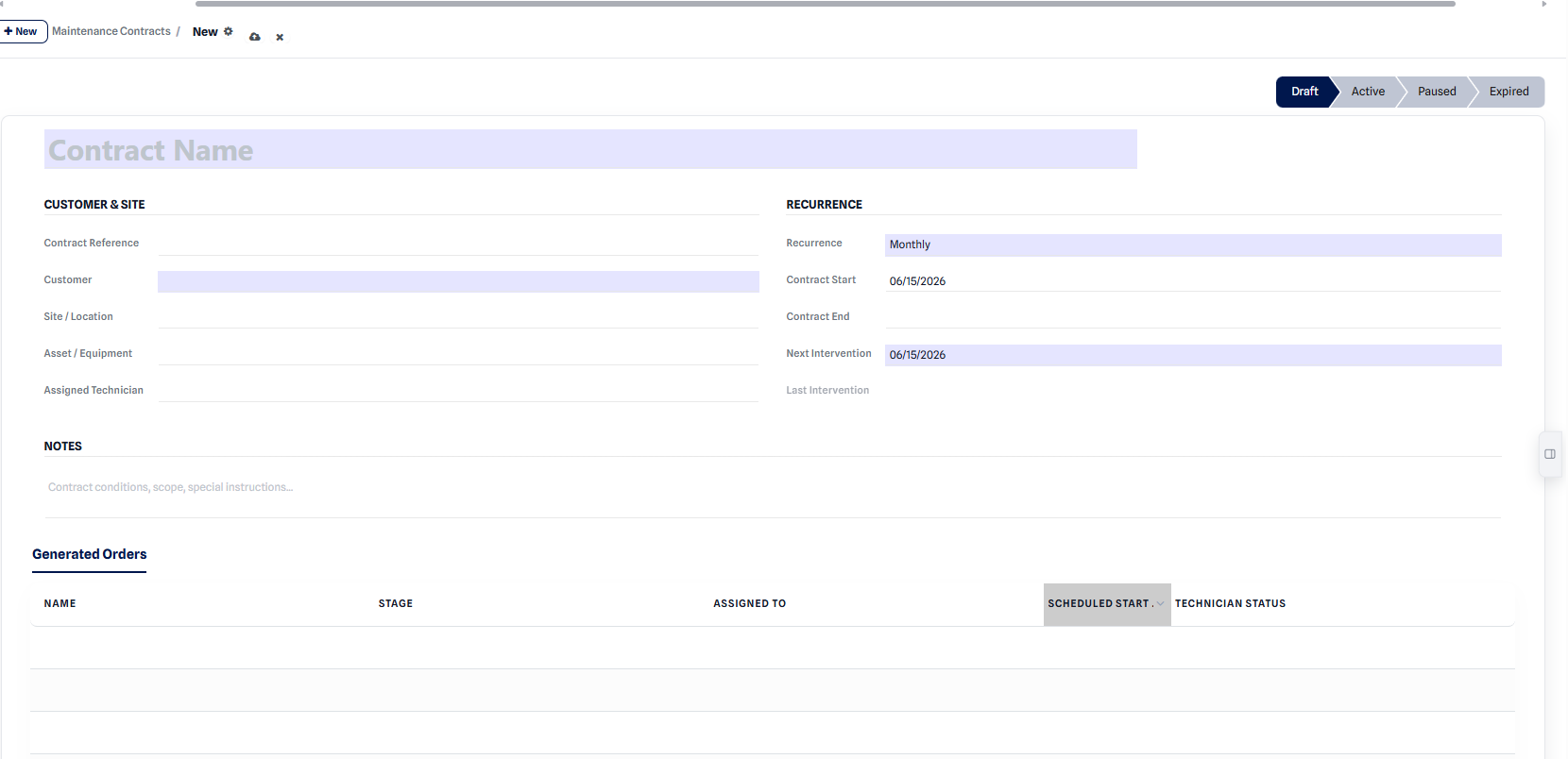 Contract form: customer, site, asset, technician and recurrence.
Expected result: the contract switches to the Active status and appears in the list. The first intervention is scheduled for the next intervention date.
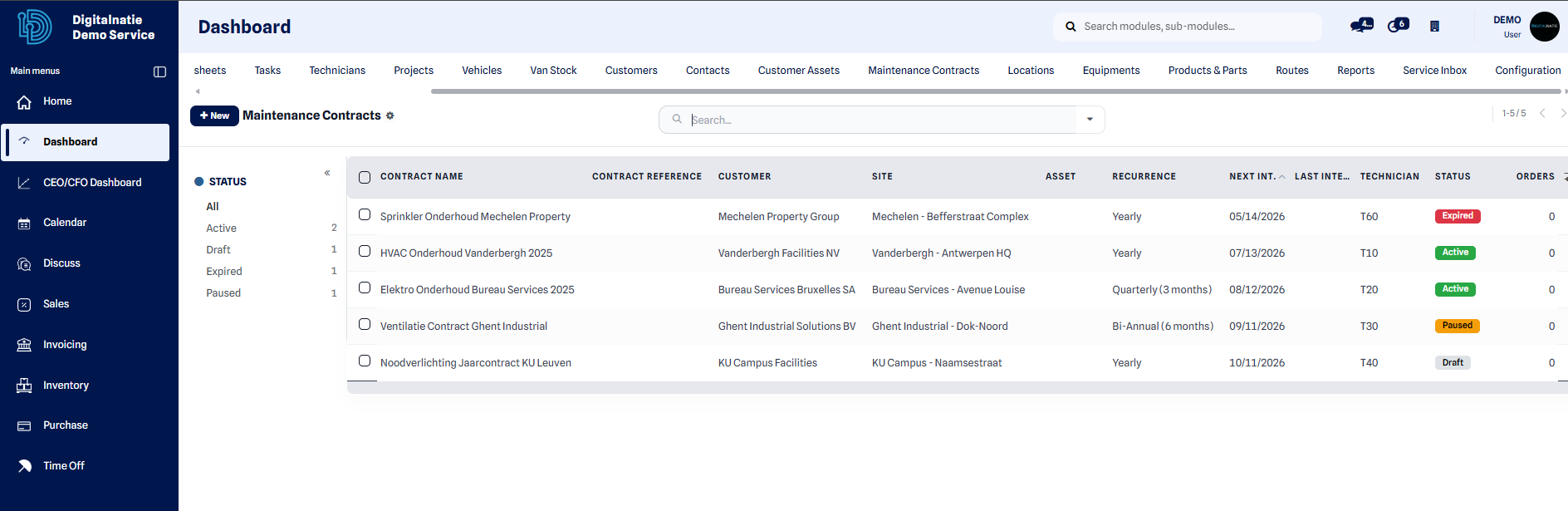 Contract list: customer, recurrence and next due date visible directly.
Contract statuses
Section titled “Contract statuses”A contract evolves throughout its life:
| Status | Meaning |
|---|---|
| Draft | Contract in preparation, no intervention is generated. |
| Active | Contract in progress: interventions are generated automatically. |
| Paused | Generation temporarily suspended, the contract remains saved. |
| Expired | Contract finished, no new intervention is created. |
Automatically generated interventions
Section titled “Automatically generated interventions”As long as the contract is Active, the software creates the preventive maintenance service orders according to the defined recurrence:
- monthly recurrence → one order each month;
- quarterly recurrence → one order every three months;
- annual recurrence → one order each year.
These orders are scheduled and assigned exactly like standard interventions: they appear in the Planning and in the responsible technician’s Technician App.