

Internal Discussion
The Discussion menu is your team’s internal communication space. It brings together channels (discussion spaces organized by topic or team) and direct messages (private exchanges between colleagues), so you can coordinate work without leaving the platform.
Not to be confused with customer-facing messaging: to reply to a customer, use the Digitalnatie Mailbox. The Discussion is reserved exclusively for exchanges between team members.
When to use it: whenever you need to coordinate an intervention, ask a colleague a quick question, or share information with the whole team, without sending an email to the customer.
Communicate with the team
Section titled “Communicate with the team”Goal: send a message to a colleague or a team and keep track of internal exchanges in one place.
- Open the Discussion menu.
- Choose a channel (group exchange) or a direct message (private exchange).
- Write your message and send it.
- Use it for the team’s internal communication: coordinating interventions, quick questions, sharing information.
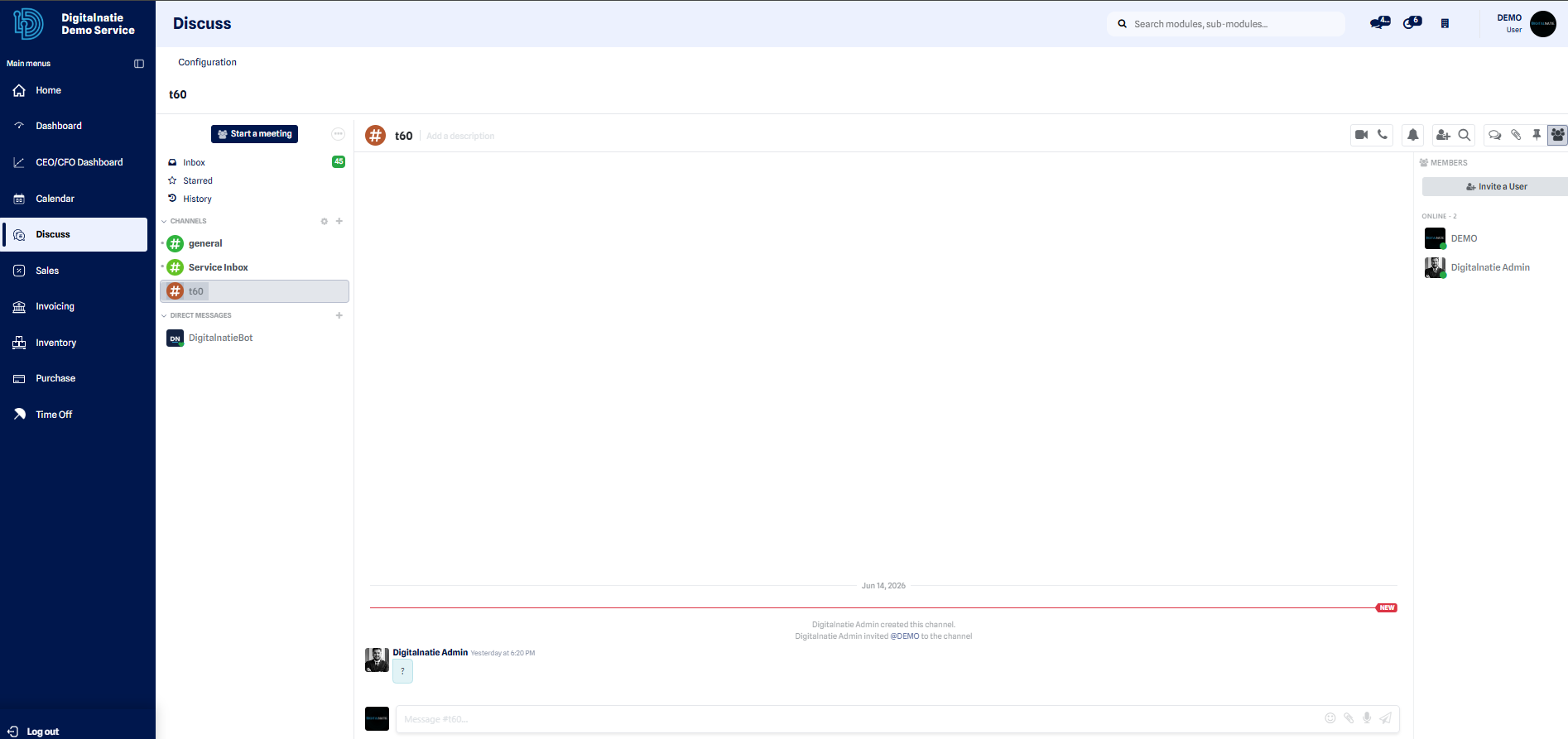 The internal Discussion brings together team channels and direct messages in one place.
Result: your message is delivered to the relevant colleague or team and remains available in the discussion thread. The whole team thus keeps a shared history of internal exchanges.