

Sales & quotations
The Sales section is used to prepare a quotation for a customer, get it approved, then convert it into a sales order. This is the step that precedes carrying out the interventions and invoicing.
When to use it: as soon as a customer requests a quote (services, parts, labor) before work begins.
Create a quotation
Section titled “Create a quotation”-
Click New.
-
Select the relevant Customer.
-
Add the lines: services, products and labor, with their prices and quantities.
-
Click Send to customer to send the quotation by email.
-
Once the customer agrees, click Confirm: the quotation becomes a sales order.
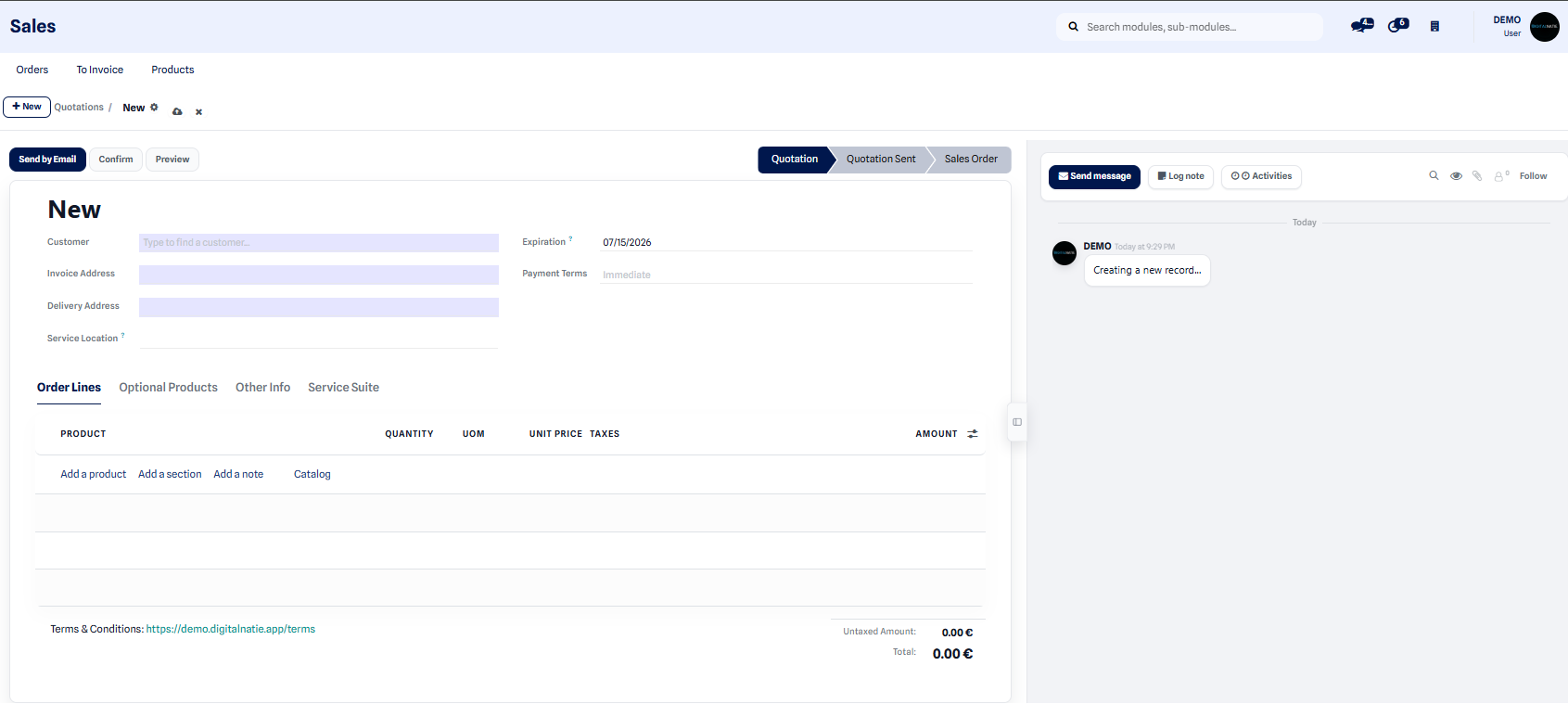 The new quotation form: choose the customer, then add the service lines.
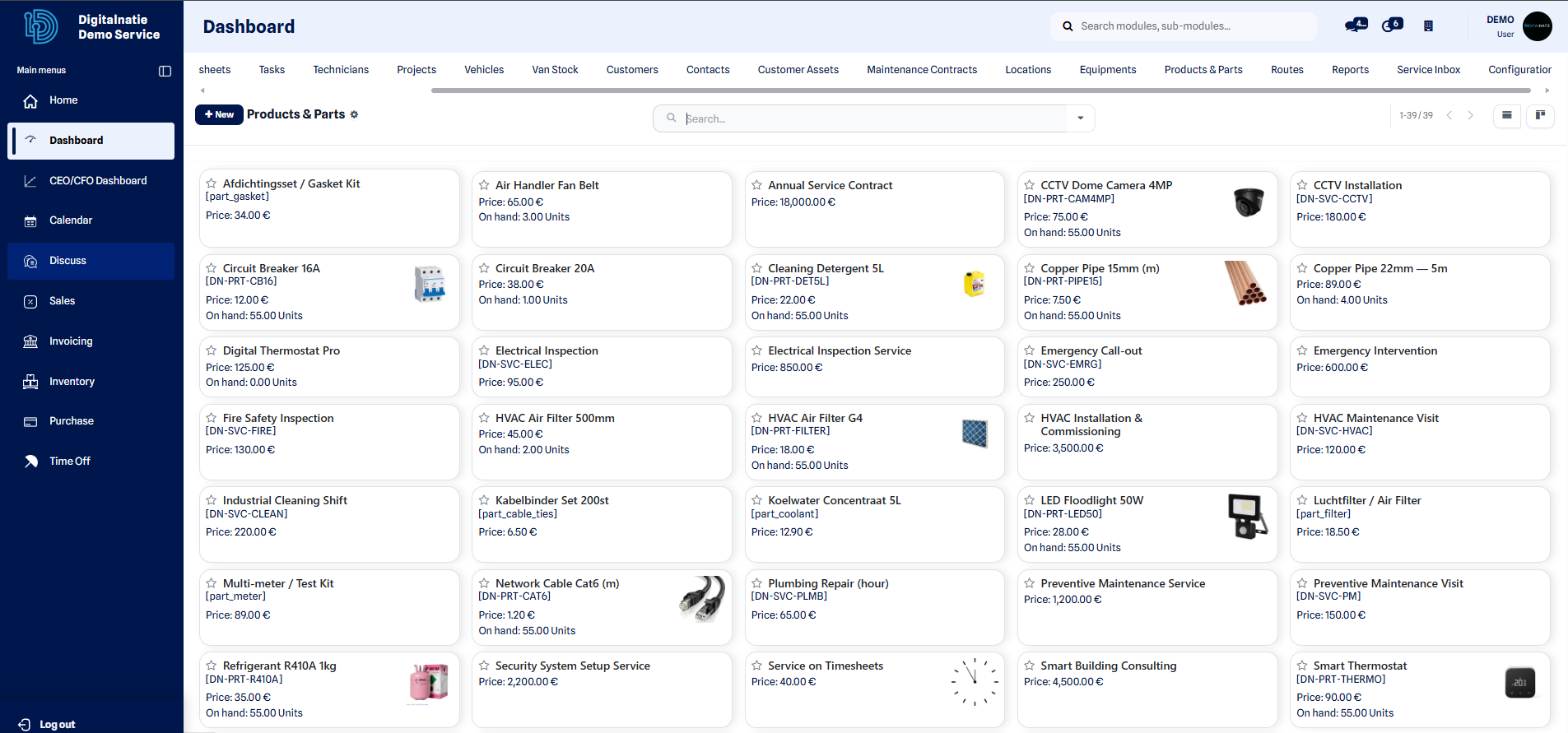 Items saved in the catalog can be reused in one click in quotation lines.
Result: after confirmation, the quotation becomes a sales order that commits the customer. You can then create the corresponding service orders and, once the work is done, invoice the actuals.
Orders to invoice
Section titled “Orders to invoice”The Orders to invoice view brings together all confirmed orders that are ready to be invoiced, so no billable service slips through the cracks.
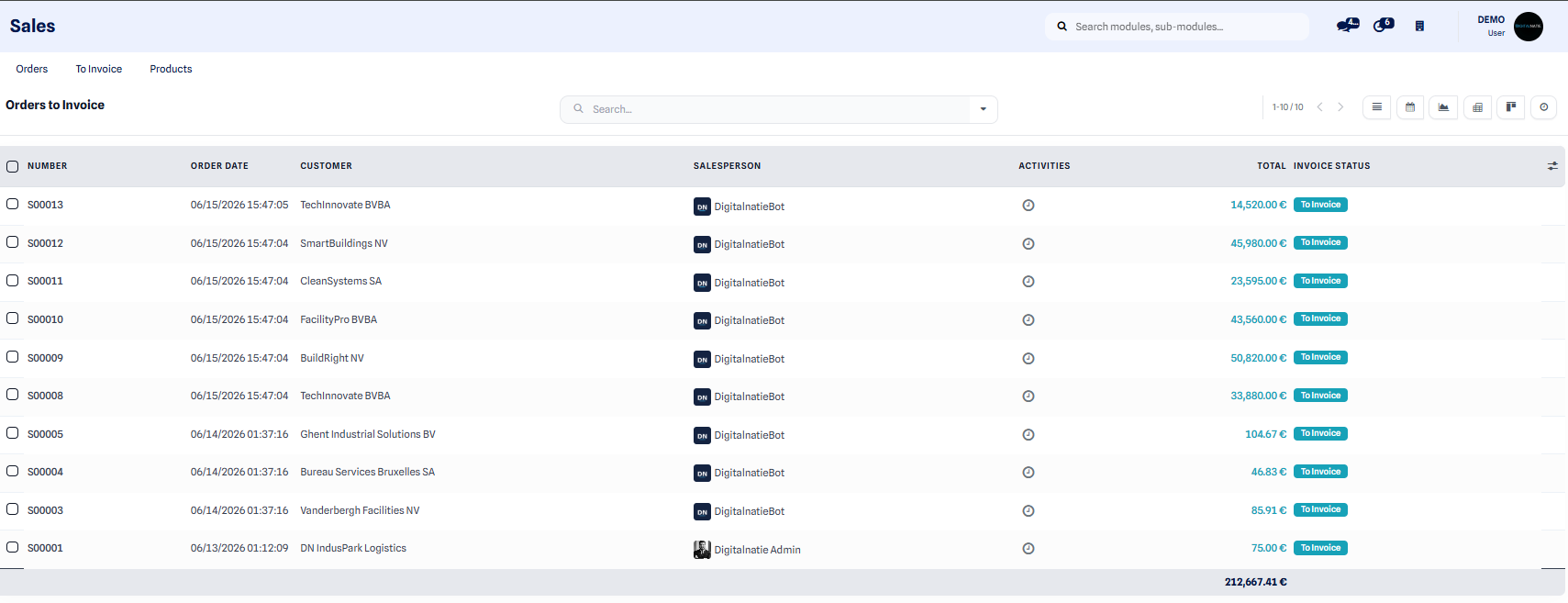 The Orders to invoice view gathers confirmed orders awaiting invoicing.
From quotation to invoice
Section titled “From quotation to invoice”After the interventions are carried out, invoicing is based on the actuals. The full process is described in From quotation to invoice.