

Getting started: Aan de slag
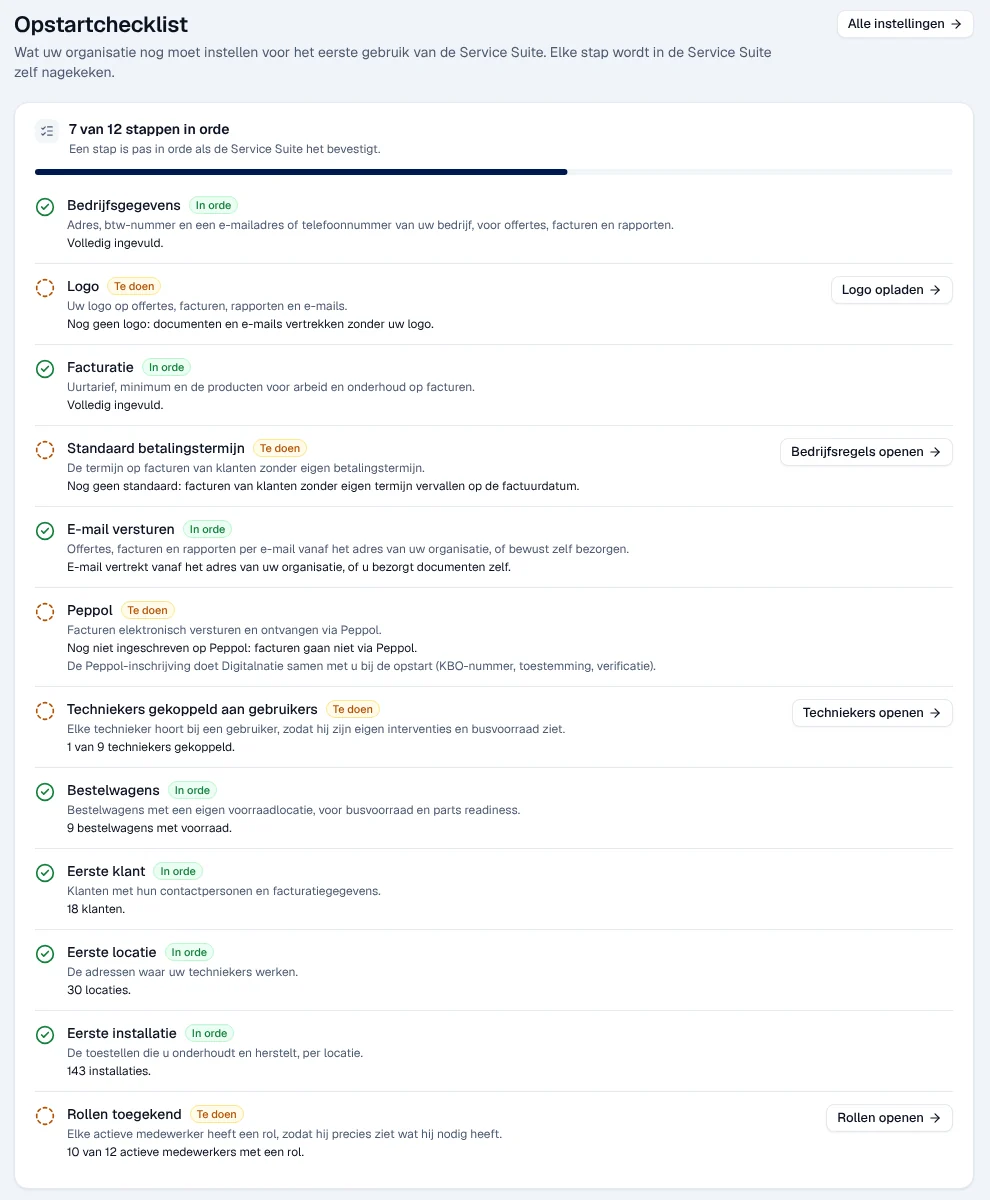
The Opstartchecklist (set-up checklist) shows what your organisation still has to set up before first use: contact details, logo, invoicing, e-mail, technicians, first customers and roles. Service Suite checks each step itself: you do not tick anything by hand.
| Menu | Aan de slag at the bottom of the left-hand menu, or the Uw Service Suite instellen block on the dashboard |
| Who | the company administrator and the manager |
| Prerequisites | none; the checklist is read with your own permissions |

Reading the checklist
Section titled “Reading the checklist”At the top, N van M stappen in orde (N of M steps completed) and a progress bar. When everything you can check is set up, the title changes to “Alles wat u kunt nagaan, is in orde” (everything you can check is in order).
Each step has a status:
| Status | Meaning |
|---|---|
| In orde (in order) | Service Suite has confirmed that it is set up |
| Te doen (to do) | something is still missing; the line says what |
| Niet na te gaan (cannot be checked) | your role does not allow you to check this step; it does not count in the total |
| Niet nagekeken (not checked) | the check could not be done right now; try again later. It counts as open |

A manager does not manage roles: the Rollen toegekend step stays “Niet na te gaan” for them, as the note “1 stap kunt u met uw rol niet nagaan; die telt niet mee.” indicates.
The 12 steps
Section titled “The 12 steps”| Step | What is checked | Where to set it up |
|---|---|---|
| Bedrijfsgegevens (company details) | street, postcode, town, country, VAT number, e-mail or phone, bank account | Organisation, documents and languages |
| Logo | a logo has been uploaded (otherwise documents and e-mails are sent without a logo) | Organisation, documents and languages |
| Facturatie (invoicing) | invoicing settings, product for labour, product for maintenance | Instellingen › Organisatie, Facturatie block — see Settings |
| Standaard betalingstermijn (default payment term) | a default term exists (otherwise invoices of customers without their own term are due on the invoice date) | Operating rules |
| E-mail versturen (sending e-mail) | e-mail is sent from your organisation’s address, or you hand over the documents yourself | Connect your e-mail |
| Peppol | Peppol registration for electronic invoices | no screen: registration is done with Digitalnatie at start-up (company number, agreement, verification) |
| Techniekers gekoppeld aan gebruikers (technicians linked to users) | each technician is linked to an account | Team, absences and hours and Users, roles and permissions |
| Bestelwagens (vans) | vans with their own stock exist | Operating rules |
| Eerste klant (first customer) | at least one customer | Customers or Import your data |
| Eerste locatie (first site) | at least one site | Sites |
| Eerste installatie (first installation) | at least one installation | Installations |
| Rollen toegekend (roles assigned) | every active employee has a role | Users, roles and permissions |
Completing a step
Section titled “Completing a step”-
Open Aan de slag at the bottom of the left-hand menu.
-
On a Te doen step, click its button, for example Logo opladen (upload logo).

-
The relevant screen opens. Make the setting and save.
-
Click Terug naar de opstartchecklist (back to the set-up checklist), at the bottom of the screen.
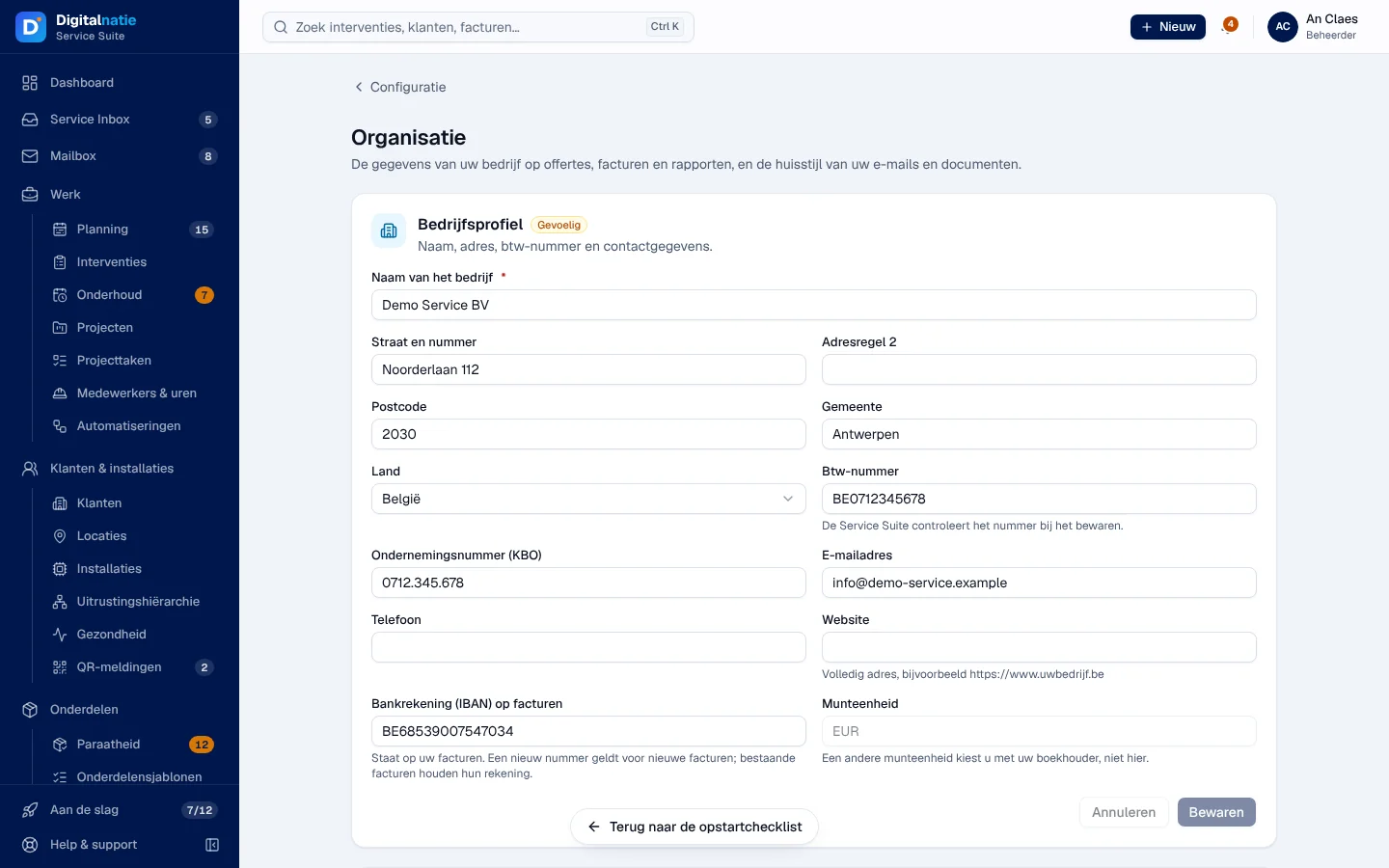
Result: the checklist is read again and the step changes to In orde when Service Suite confirms the setting. The Alle instellingen (all settings) button, at the top of the checklist, opens the Configuratie area.
If a step requires a permission you do not have, the line says so instead of showing the button, for example: “De facturatie-instellingen vult een collega met toegang tot bedragen en facturen in.” (a colleague with access to amounts and invoices sets up invoicing).
The reminder on the dashboard
Section titled “The reminder on the dashboard”As long as steps remain open, the dashboard shows the Uw Service Suite instellen (set up your Service Suite) block with the first three steps to do and the Volledige checklist (full checklist) link.
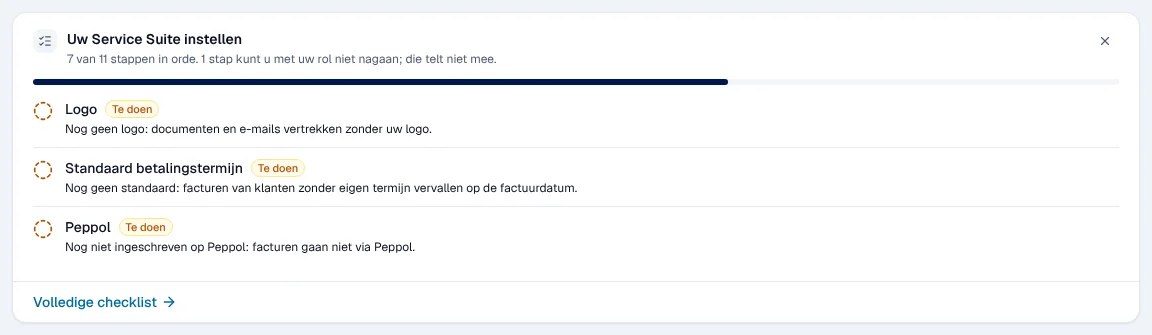
The cross at the top right hides this block for you, in this browser. The Aan de slag entry in the menu stays visible as long as steps are open. The block disappears by itself when everything you can check is in order.
Rights by role
Section titled “Rights by role”The table shows the supplied role templates (see Roles and permissions); your administrator can adjust them (see Users, roles and permissions).
| Action | Admin | Manager |
|---|---|---|
| See the set-up checklist and the reminder | ✓ | ✓ |
| Check the Rollen toegekend step | ✓ | — |
| Make the settings | ✓ ¹ | ✓ ¹ |
¹ Depending on the screen opened (see each guide).
A user without access sees “Geen toegang tot de opstartchecklist.”.
Current limits
Section titled “Current limits”- The checklist does not change anything: it only checks. Settings are made in the linked screens.
- Peppol registration is not done in the application: ask Digitalnatie.
See also
Section titled “See also”- Settings (Instellingen)
- Organisation, documents and languages
- Connect your e-mail
- Import your data — to load customers, sites and installations in one go