

Vans and replenishment requests
The Busvoorraad (van stock) shows the stock and shortages of each van. The Aanvulverzoeken (replenishment requests) arrive there: the manager approves them, the warehouse sends the parts. This page follows this cycle step by step.
| Menu | Onderdelen › Busvoorraad (the number counts the requests to handle) and Onderdelen › Aanvulverzoeken |
| Who | View: administrator, manager, planner, Warehouse Manager (warehouse). Request: administrator, manager, planner; the technician in their app. Approve: administrator and manager. Validate the transfer: warehouse, administrator, manager and Senior Technician. |
| Prerequisites | A van with its own storage location and an assigned technician (see Operating rules). |
The cycle in brief
Section titled “The cycle in brief”| Step | Who | Where | Does stock move? |
|---|---|---|---|
| 1. The need appears | — | Shortages in Busvoorraad, Paraatheid, technician app | No |
| 2. Request | technician (app), planner, manager, administrator | Aanvulverzoek, Aanvulling aanvragen | No |
| 3. Approval | manager, administrator | Aanvulverzoeken › Goedkeuren | No: a reserved transfer is created |
| 4. Preparation and validation | warehouse | Magazijn › Overboekingen › Valideren | Yes: warehouse → van |
| 5. Closure | manager, administrator | Aanvulverzoeken › Geleverd | No |
| 6. New assessment | planner, manager, administrator | Paraatheid › Opnieuw beoordelen | No |
The warehouse cannot create a request, and the planner cannot approve.
Reading a van’s stock
Section titled “Reading a van’s stock”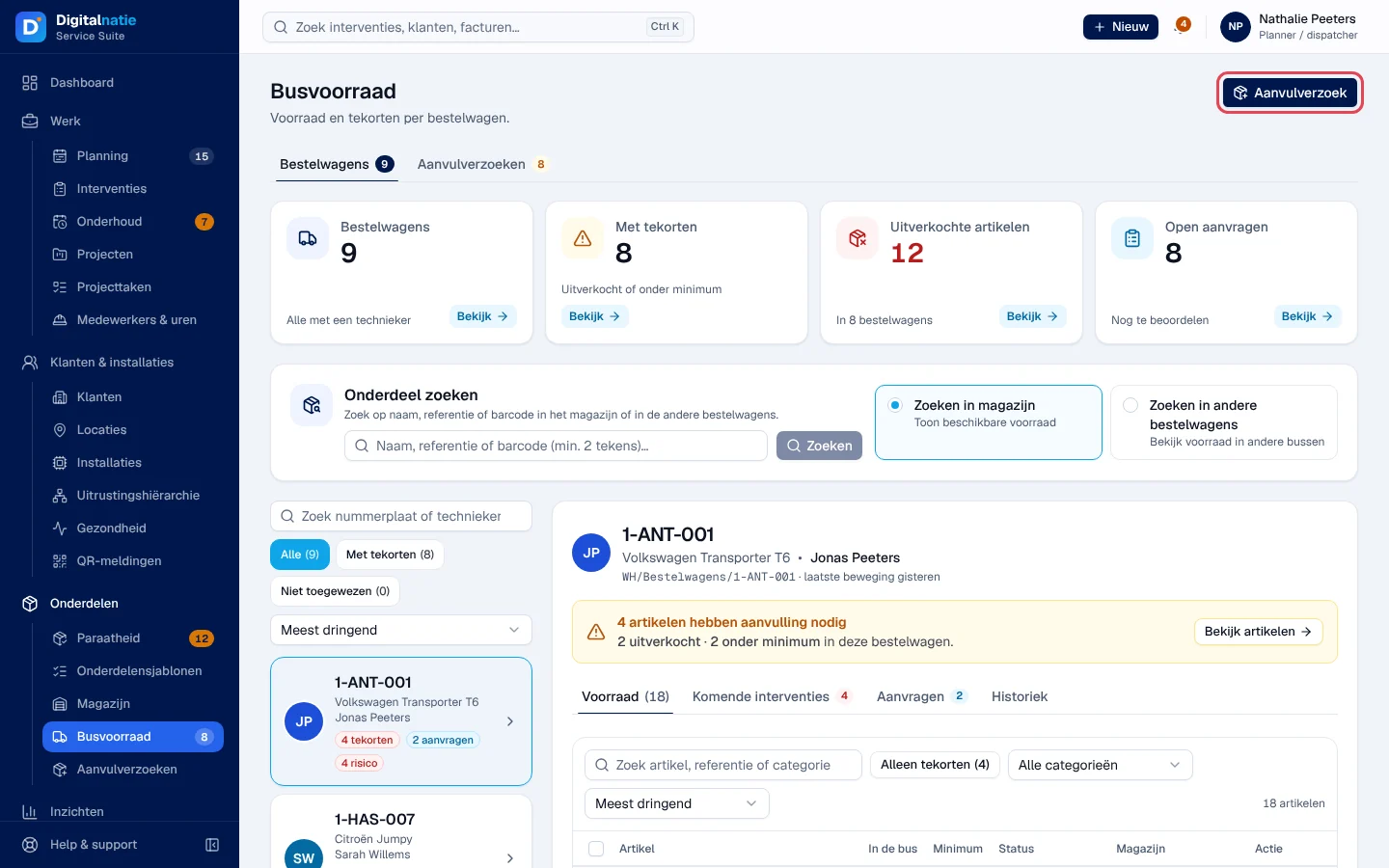
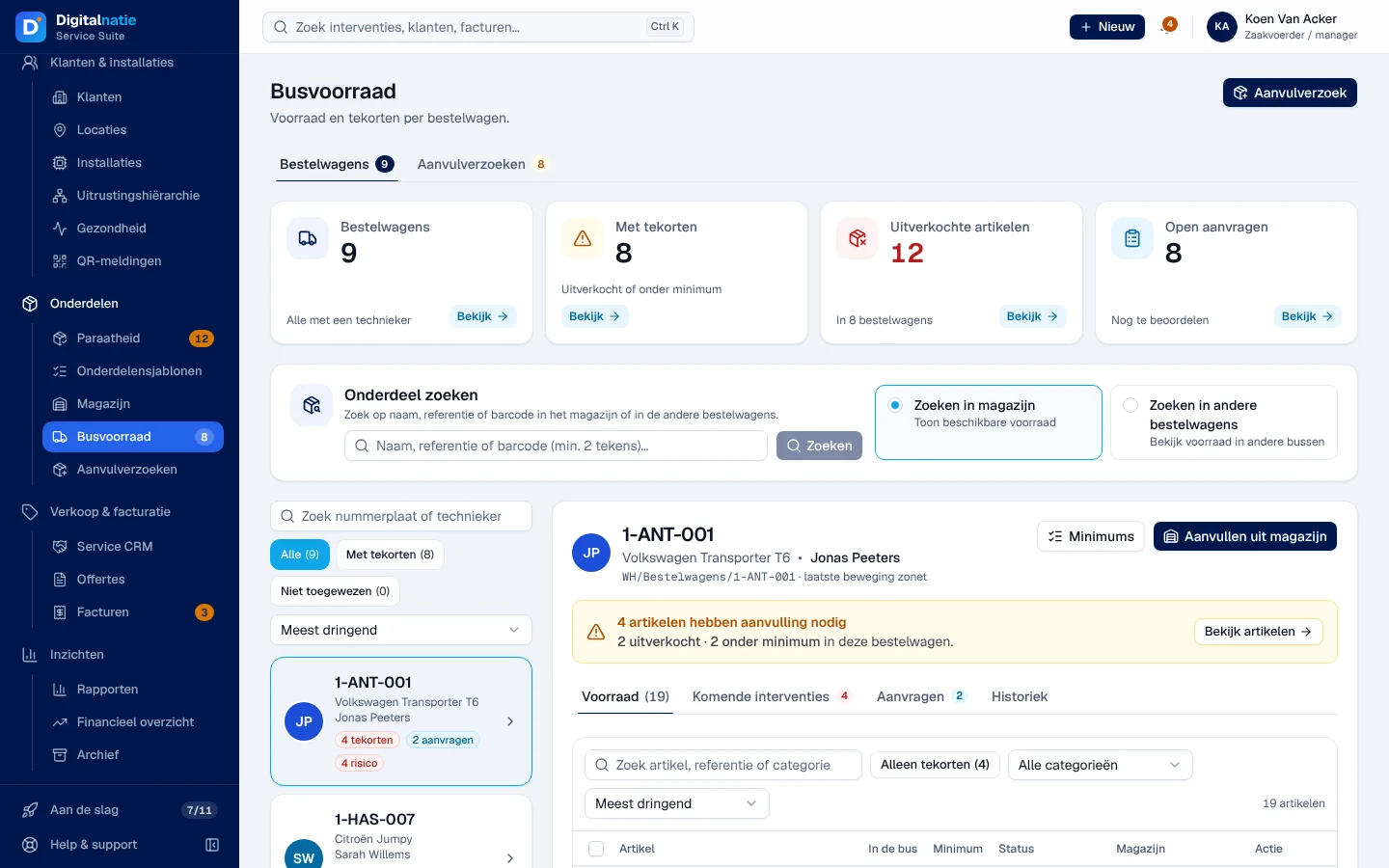
- The figures: Bestelwagens (vans), Met tekorten (with shortages: out of stock or below minimum), Uitverkochte artikelen (items out of stock) and Open aanvragen (requests to handle).
- Onderdeel zoeken (search for a part) searches by name, reference or barcode in magazijn (in the warehouse) or in andere bestelwagens (in other vans). This is information only: there is no transfer from one van to another.
- On the left, the vans, the most urgent first, with their badges (tekorten, shortages; aanvragen, requests; risico, upcoming interventions with missing parts; Op peil, at level).
- On the right, the chosen van. Voorraad (stock): In de bus (available in the van), Minimum, Status (Uitverkocht, Onder minimum, Op peil), Magazijn (available in the warehouse) and the Aanvragen +n action (request n pieces). Alleen tekorten (shortages only) filters the list. The other tabs: Komende interventies (upcoming interventions, with their parts readiness), Aanvragen (requests for this van) and Historiek (latest movements).
Requesting replenishment
Section titled “Requesting replenishment”-
Click Aanvulverzoek (replenishment request) at the top, or Aanvragen +n on a row. For several rows, tick them and click Selectie aanvragen (request selection).
-
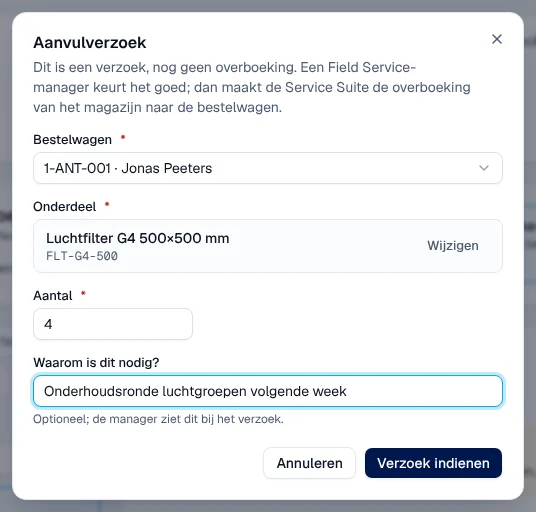
Choose the Bestelwagen (van), the Onderdeel (part), the Aantal (quantity, from 1 to 500) and, if useful, Waarom is dit nodig? (why is this needed?), which the manager will see.
-
Click Verzoek indienen (submit request).
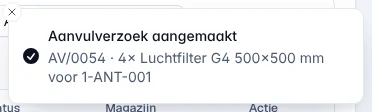
Result: “Aanvulverzoek aangemaakt” (request created), with its reference. The request has the status Aangevraagd (requested). Nothing has left the warehouse yet.
A van without a technician cannot receive a request: assign a technician first. From the Paraatheid, Aanvulling aanvragen creates the requests for the parts missing for an intervention (see Parts readiness).
Approving or refusing a request
Section titled “Approving or refusing a request”Reserved for the manager and the administrator.
-
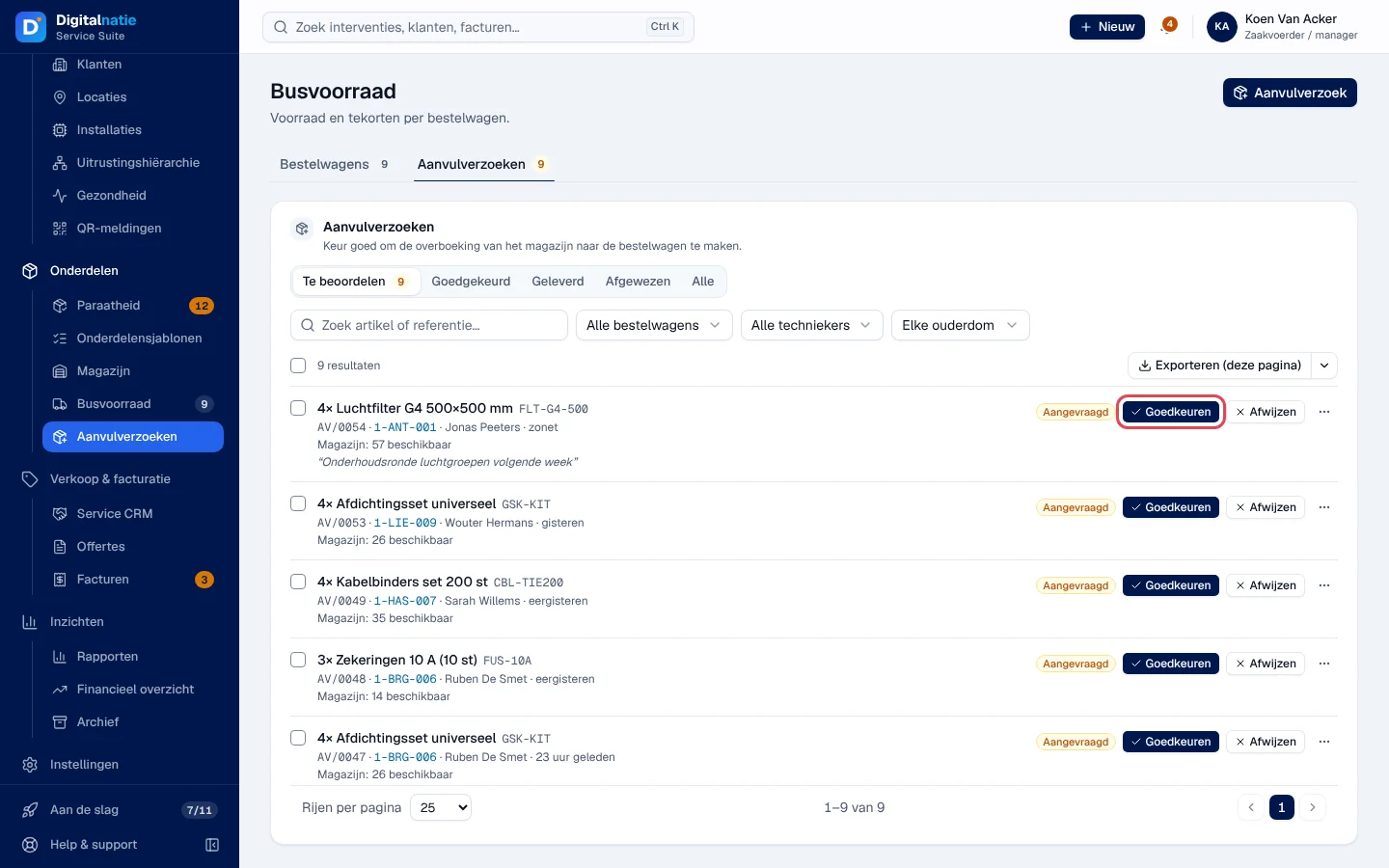
Open Onderdelen › Aanvulverzoeken. The Te beoordelen (to review) tab lists the open requests, with the stock available in the warehouse. The filters: item, Bestelwagen, Technieker and age.
-
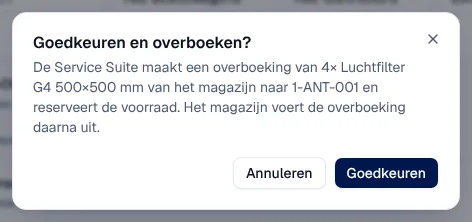
Click Goedkeuren (approve). The Goedkeuren en overboeken? (approve and transfer?) window says what will be transferred.
-
Confirm with Goedkeuren.
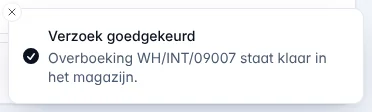
Result: “Verzoek goedgekeurd” (request approved) – “Overboeking WH/INT/… staat klaar in het magazijn” (the transfer is ready in the warehouse). Service Suite creates a transfer from the warehouse to the van and reserves the stock. The request changes to Goedgekeurd.
- Afwijzen (refuse): an optional reason for the technician (Reden voor de technieker). The request changes to Geweigerd (refused).
- Several requests at once: tick them, then Goedkeuren or Afwijzen in the bar that appears. Requests refused by Service Suite are listed under Niet verwerkt (not processed).
- If the row shows “te weinig om goed te keuren” (too little to approve) in red, the warehouse does not have enough stock.
Validating the transfer (warehouse)
Section titled “Validating the transfer (warehouse)”Reserved for the roles that validate transfers: warehouse, administrator, manager and Senior Technician.
-
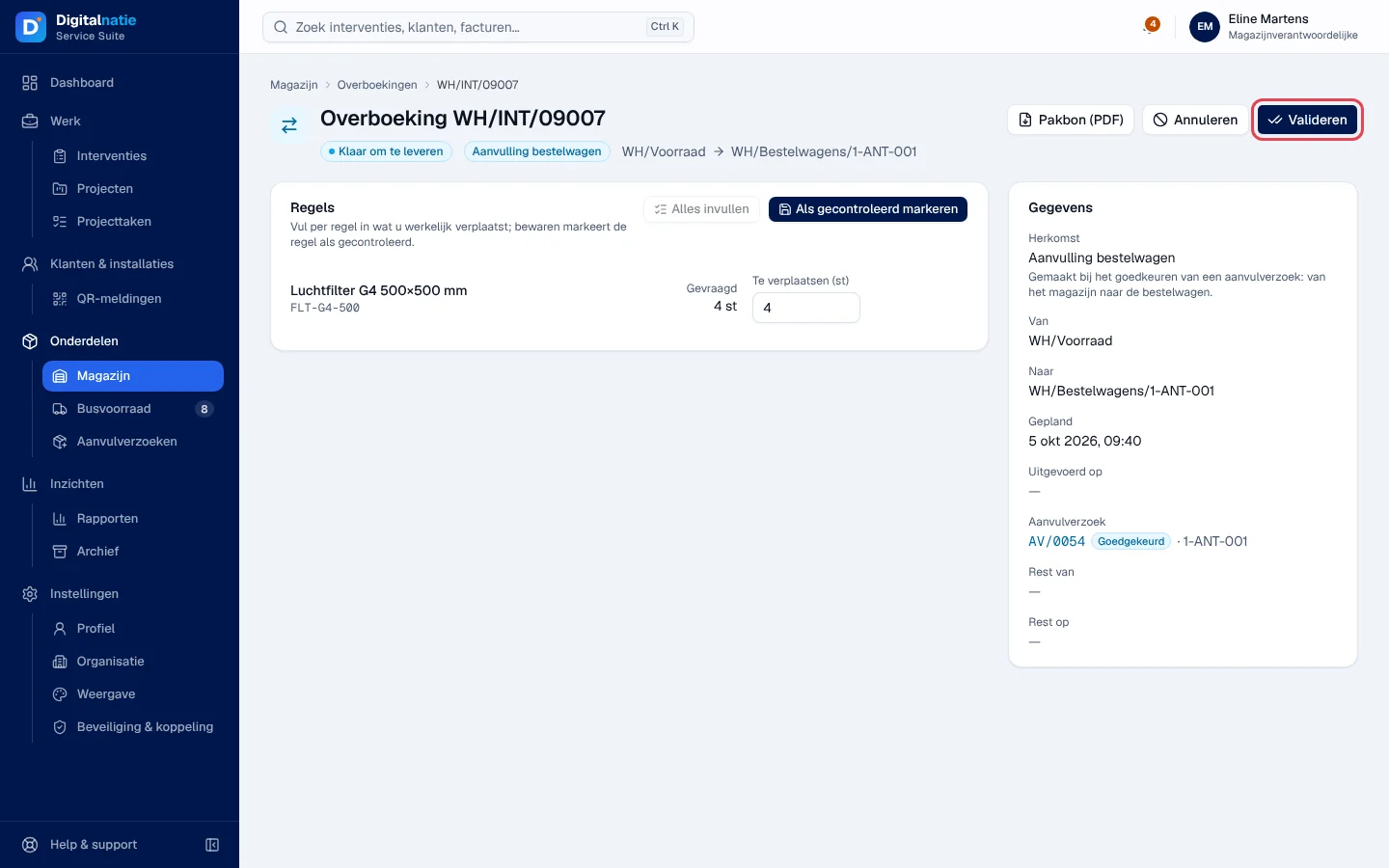
Open Onderdelen › Magazijn › Overboekingen. The Aanvulling bestelwagen transfer is in Te verwerken (to process), with the status Klaar om te leveren (ready to deliver) or Wacht op voorraad (waiting for stock).
-
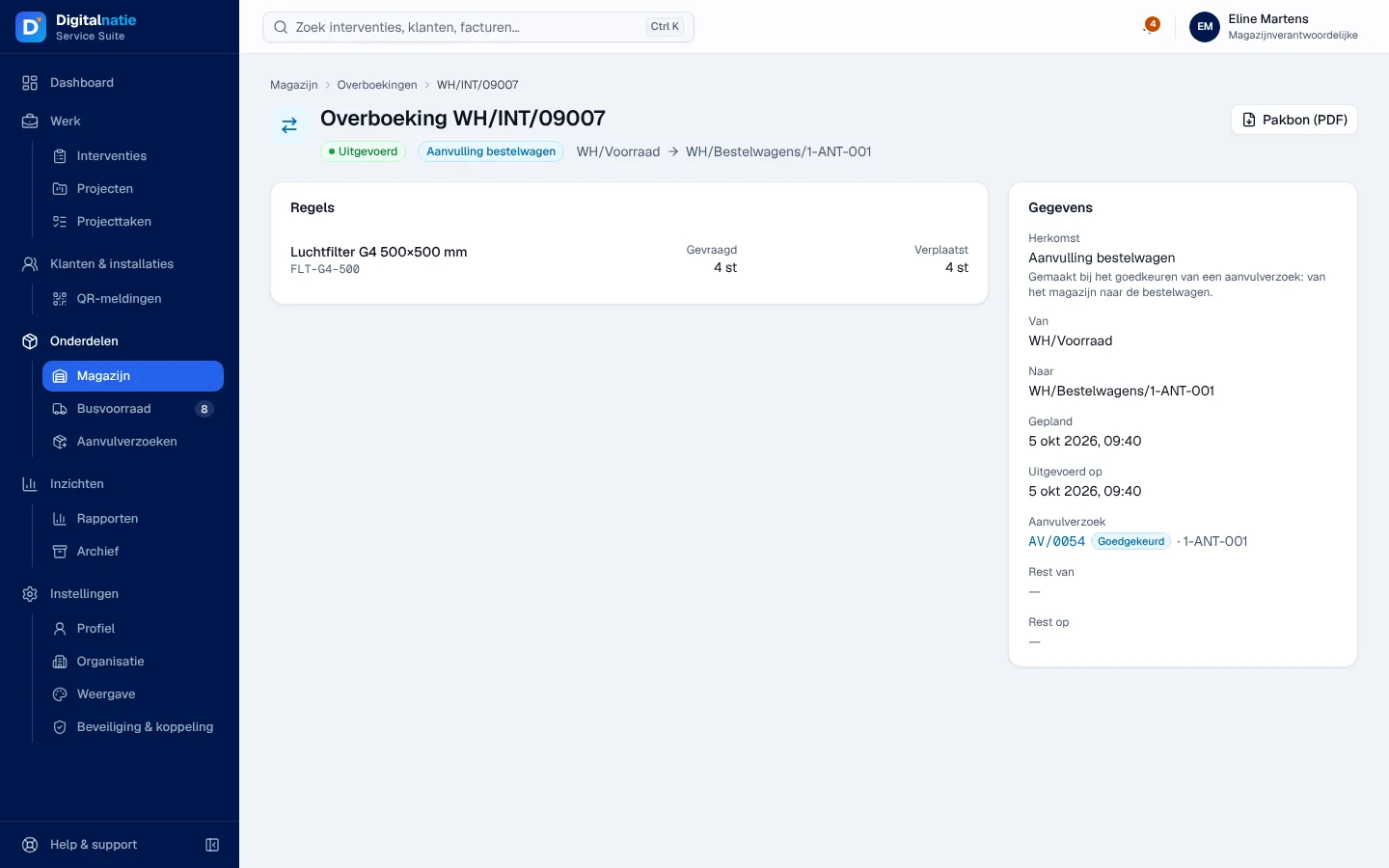
Open it, prepare the parts and check Te verplaatsen (to move). Click Valideren.
-
Confirm with Valideren in the window.
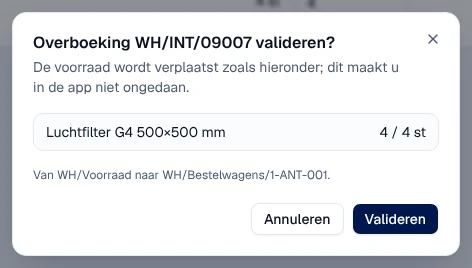
Result: “Overboeking gevalideerd” (transfer validated); the transfer is Uitgevoerd (done) and the parts are in the van. The Busvoorraad and the technician’s app show them.
Closing the request
Section titled “Closing the request”The request stays Goedgekeurd at the office until someone closes it. Once the transfer is done, the manager or the administrator opens the Goedgekeurd tab, clicks Geleverd (delivered), then Afsluiten (close).
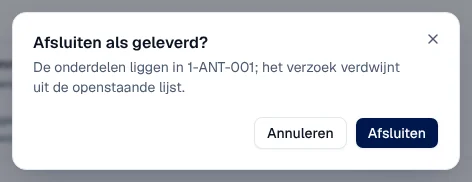
Result: “Verzoek afgesloten als geleverd” (request closed as delivered); it leaves the list of open requests. Then remember to click Opnieuw beoordelen in the Paraatheid: readiness does not recalculate by itself.
The manager’s tools
Section titled “The manager’s tools”On a van that has its own storage location, the manager and the administrator have two more buttons.
-
Minimums: the items tracked in the van and their minimum (0 to 9999). Below the minimum, the item appears as a shortage and the Busvoorraad suggests replenishment. Artikel toevoegen (add item); the bin stops tracking. Message: “Opvolging bijgewerkt” (tracking updated).
-
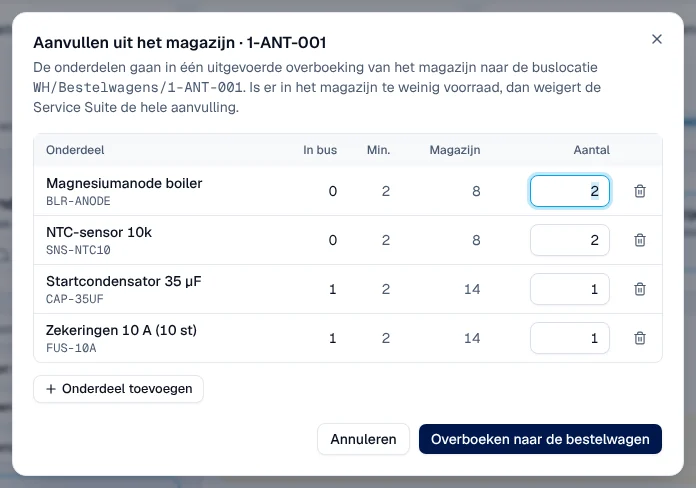
Aanvullen uit magazijn (replenish from warehouse): the list is prefilled with the items below the minimum. Overboeken naar de bestelwagen (transfer to the van) moves the parts immediately.
-
Telling corrigeren (correct a count), in the ⋯ menu of a row: the counted quantity and a required Reden (reason) (Telling, Beschadigd, Verloren, Gevonden, Retour niet geboekt). The difference is recorded as a stock correction.
The technician’s side
Section titled “The technician’s side”The technician sees their van and its shortages, and requests parts in the Bestelwagen tab of their app, even offline. They follow the status of their requests: Aangevraagd, Goedgekeurd, Geleverd, Geweigerd. See Parts and van (Bestelwagen).
Rights by role
Section titled “Rights by role”The table shows the supplied role templates (see Roles and permissions); your administrator can adjust them (see Users, roles and permissions).
| Action | Admin | Manager | Planner | Warehouse |
|---|---|---|---|---|
| See the Busvoorraad and the requests | ✓ | ✓ | ✓ | ✓ ¹ |
| Create a replenishment request | ✓ | ✓ | ✓ | — |
| Approve, refuse, close a request | ✓ | ✓ | — | — |
| Minimums, Aanvullen uit magazijn, Telling corrigeren | ✓ | ✓ | — | — |
| Validate or cancel the transfer ² | ✓ | ✓ | — | ✓ |
¹ Warehouse Manager only. ² The Senior Technician template (technician family) also validates transfers.
The technician requests their parts in the Techniekers-app. Accounting, sales and read only have no access to the Busvoorraad. Roles are assigned by the administrator: see Users, roles and permissions.
Current limits
Section titled “Current limits”- If the warehouse cancels the transfer of an approved request, the request stays Goedgekeurd and can no longer be refused in the application: make a new request if needed.
- The office Aanvulverzoek window does not check whether a request is already open for the same part (the request from the Paraatheid does check).
- No transfer from one van to another.
- The request is not linked to an intervention, and parts readiness is not recalculated after the transfer.
- A van without its own storage location has neither Minimums nor Aanvullen uit magazijn: its replenishments go through requests.
See also
Section titled “See also”- Parts readiness (Paraatheid) — see what is missing before departure
- The warehouse: items, transfers and storage locations — validate the transfer, prepare a part for a van
- Parts and van (Bestelwagen) — the technician’s side
- Operating rules — create a van and its storage location