

From contract to maintenance visit
The maintenance agreed with a customer must never be forgotten. A maintenance contract keeps the date of the next visit and creates the intervention when the time comes.
-
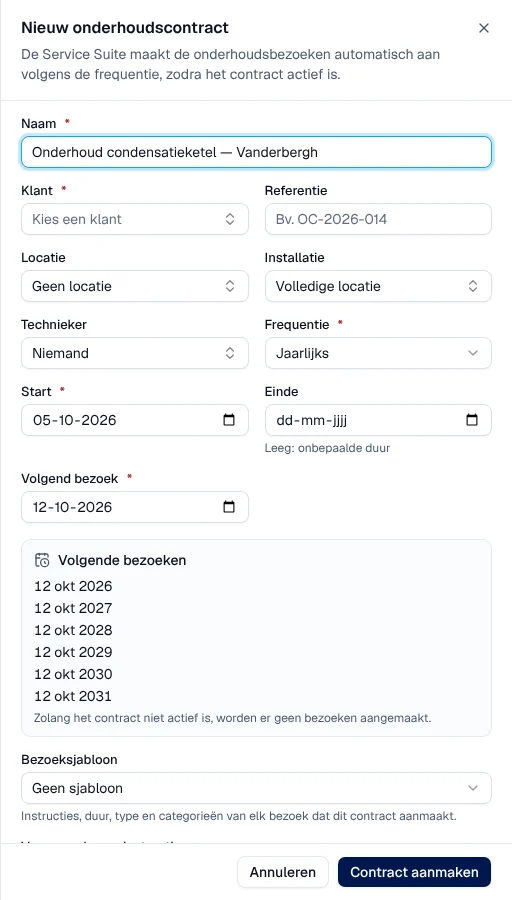
The contract. In Werk › Onderhoud or in the Contracten tab of the customer file, create the contract for a site or an installation, choose the frequency and, if needed, a visit template and a technician. Activate it. Guide: Maintenance contracts.
-
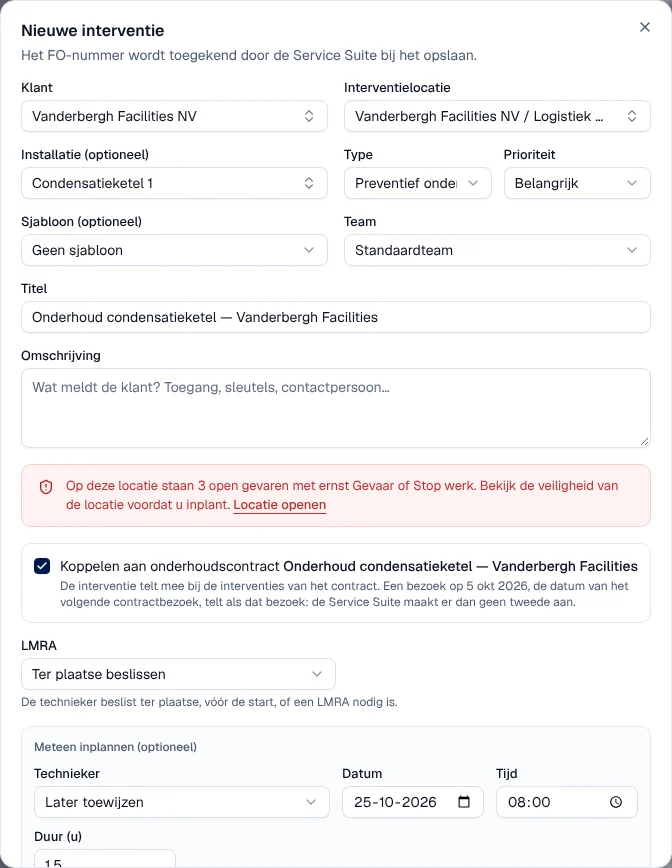
The visit is created. On the day of the visit, Service Suite creates the intervention: the customer, the site, the installation, the visit template and, if specified, the contract’s technician. A “schedule the visit” activity is added for this technician, otherwise for a planner or a manager. The date of the next visit moves forward by one period.
-
Scheduling. Schedule the visit like any intervention on the schedule. For an extra visit, Bezoek inplannen on the contract.
-
The visit. The technician carries it out in their app, with the contract’s instructions: Carry out an intervention.
-
The follow-up. The visit appears on the contract, Bezoeken tab, and in the history of the installation. The Onderhoud list flags contracts that are Achterstallig (overdue) and those whose visit falls within the next 30 days.