

From the customer's call to payment
This journey follows one case from start to finish: a customer calls about a breakdown, the office creates and schedules the intervention, the technician carries it out with the app, accounting invoices and collects payment, and the customer finds everything in their portal. Each step refers to the detailed guide.
| Step | Who | Screen |
|---|---|---|
| 1. Customer and site | office | Klanten, Locaties |
| 2. Intervention | office (planner) | Interventies |
| 3. Scheduling | planner | Planning |
| 4. Work on site | technician | Techniekers-app |
| 5. Check and report | office | intervention record |
| 6. Invoice | accounting | Facturen |
| 7. Payment | accounting | Facturen |
| 8. Follow-up by the customer | your customer | Klantenportaal |
-
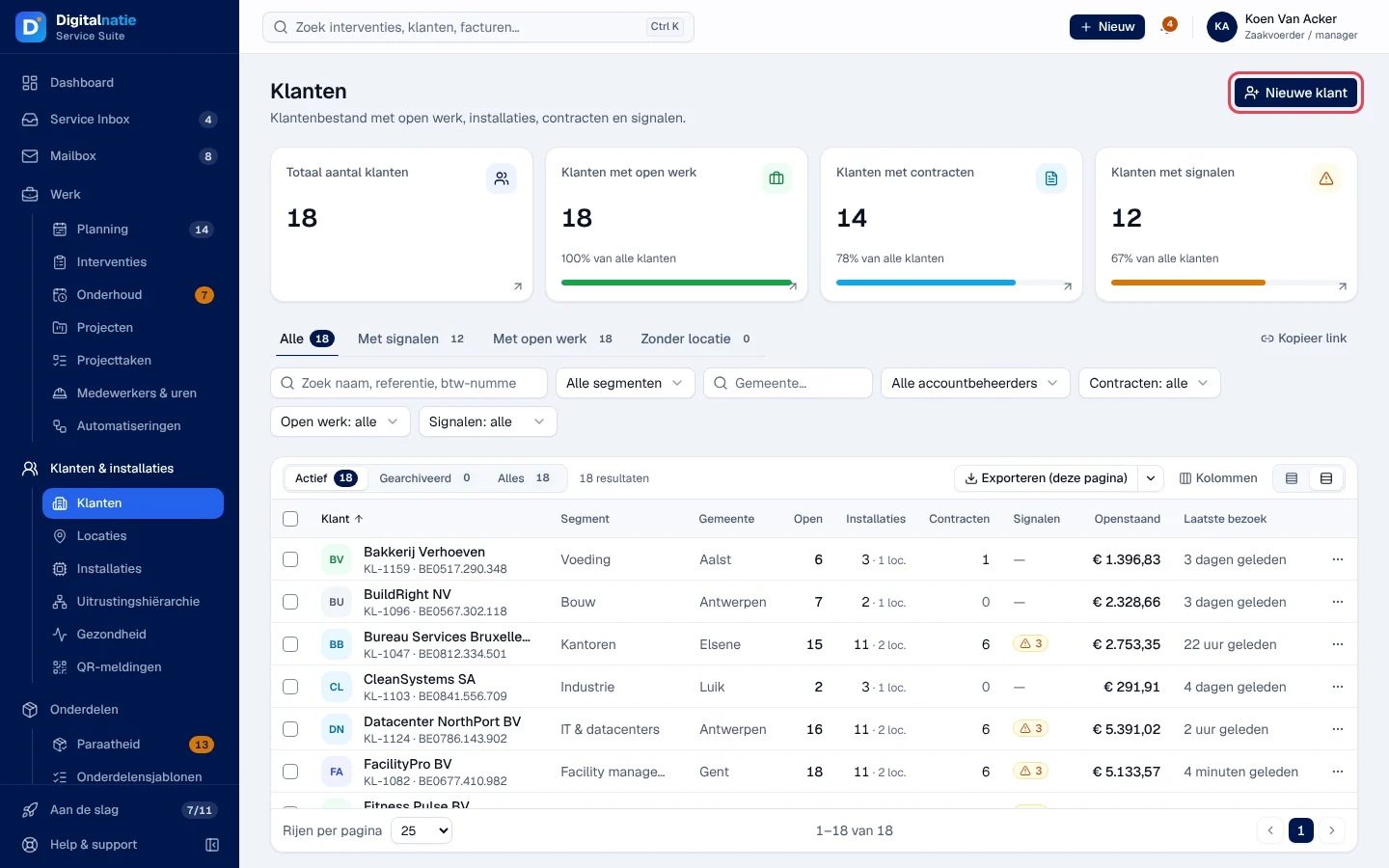
The customer and their site. If the customer is new, create them in Klanten › Nieuwe klant, then add the intervention address with Locatie aanmaken. An existing customer can be found with the search at the top of the screen. Guides: Customers, Sites.
-
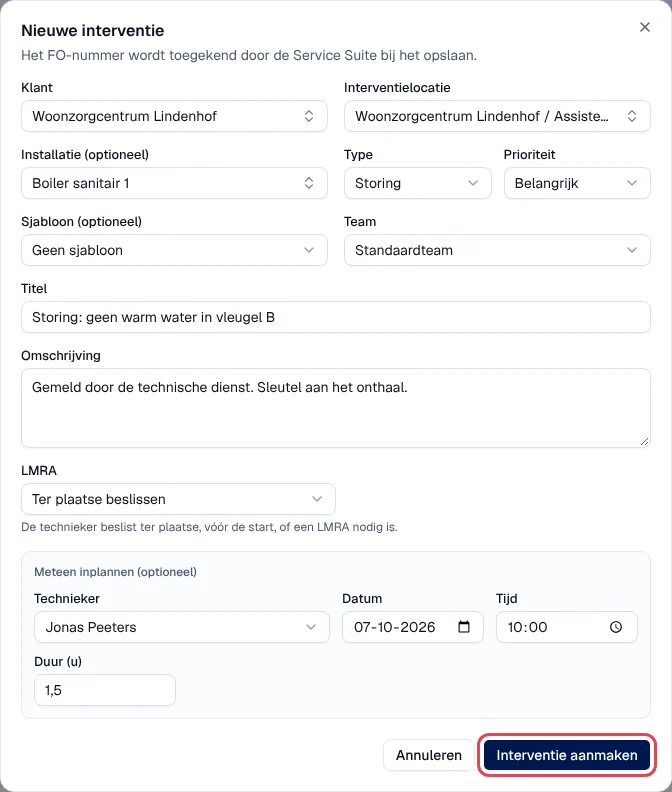
The intervention. From the customer file, the installation concerned or Werk › Interventies, click Nieuwe interventie: customer, site, installation if any, type Storing (breakdown), priority, title and description of what the customer reports. Guide: Interventions.
-
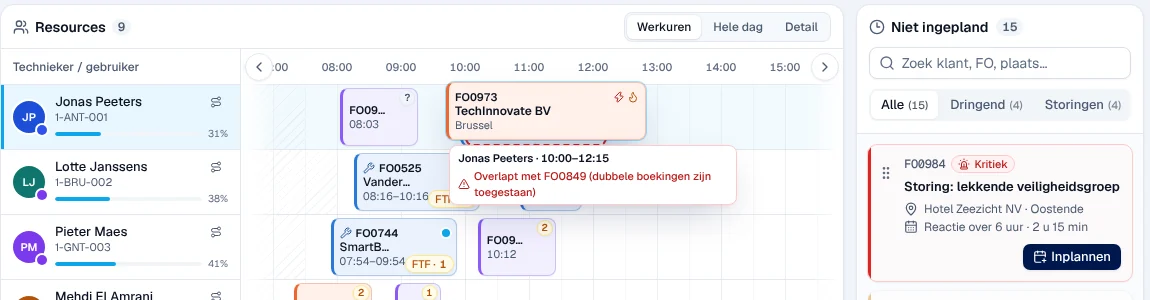
Scheduling. The intervention appears in Niet ingepland (not scheduled) on the Planning. Drag it onto the technician’s row, at the desired time. The technician sees it in their app as soon as it updates (when opened, then every minute). Guide: The schedule.
-
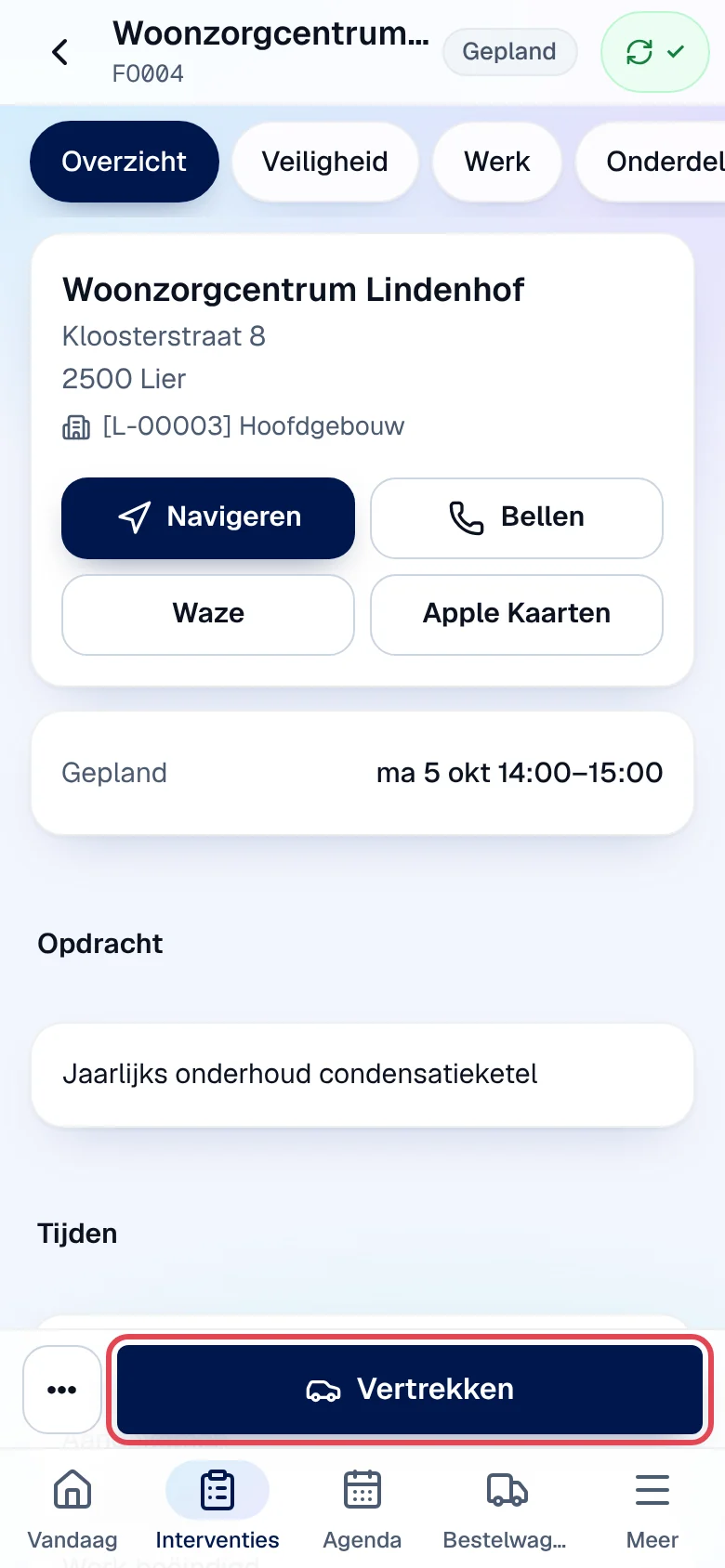
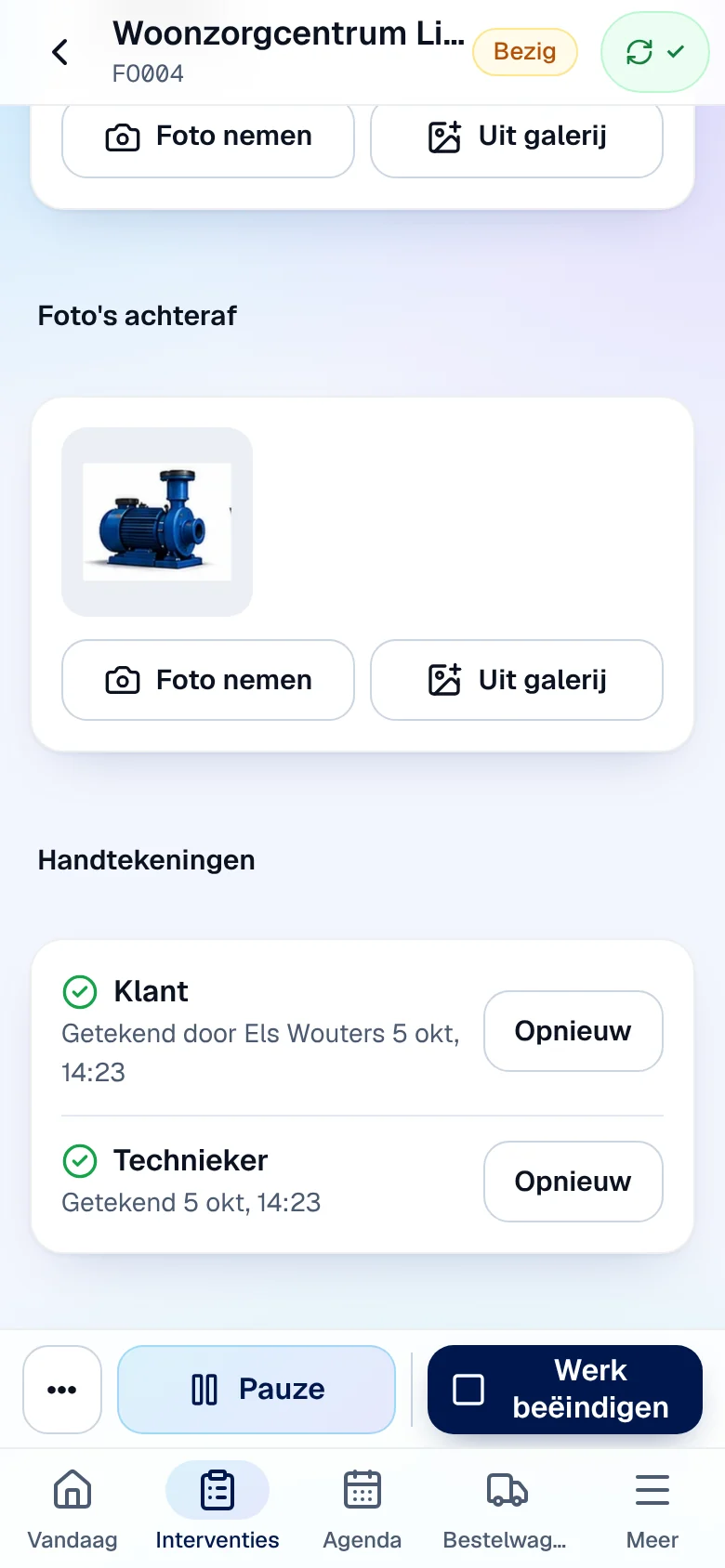
The work on site. In the Techniekers-app, the technician taps Vertrekken (leave), then Aangekomen (arrived). If a risk analysis is required, they complete the LMRA and check their PBM (PPE) before Start werk (start work). They record the part used from their van, fill in their report, take their photos, have the customer sign and then sign themselves, and finish with Werk beëindigen. Guides: Carry out an intervention, Safety, Report and signatures.
-
The check and the report. At the office, the intervention record shows the hours, the part, the photos, the signatures and the report. The report is sent to the customer by e-mail by the technician or from the record (Rapport ▾). An error in the report is corrected with Corrigeren, with a reason. Guide: The intervention record.
-
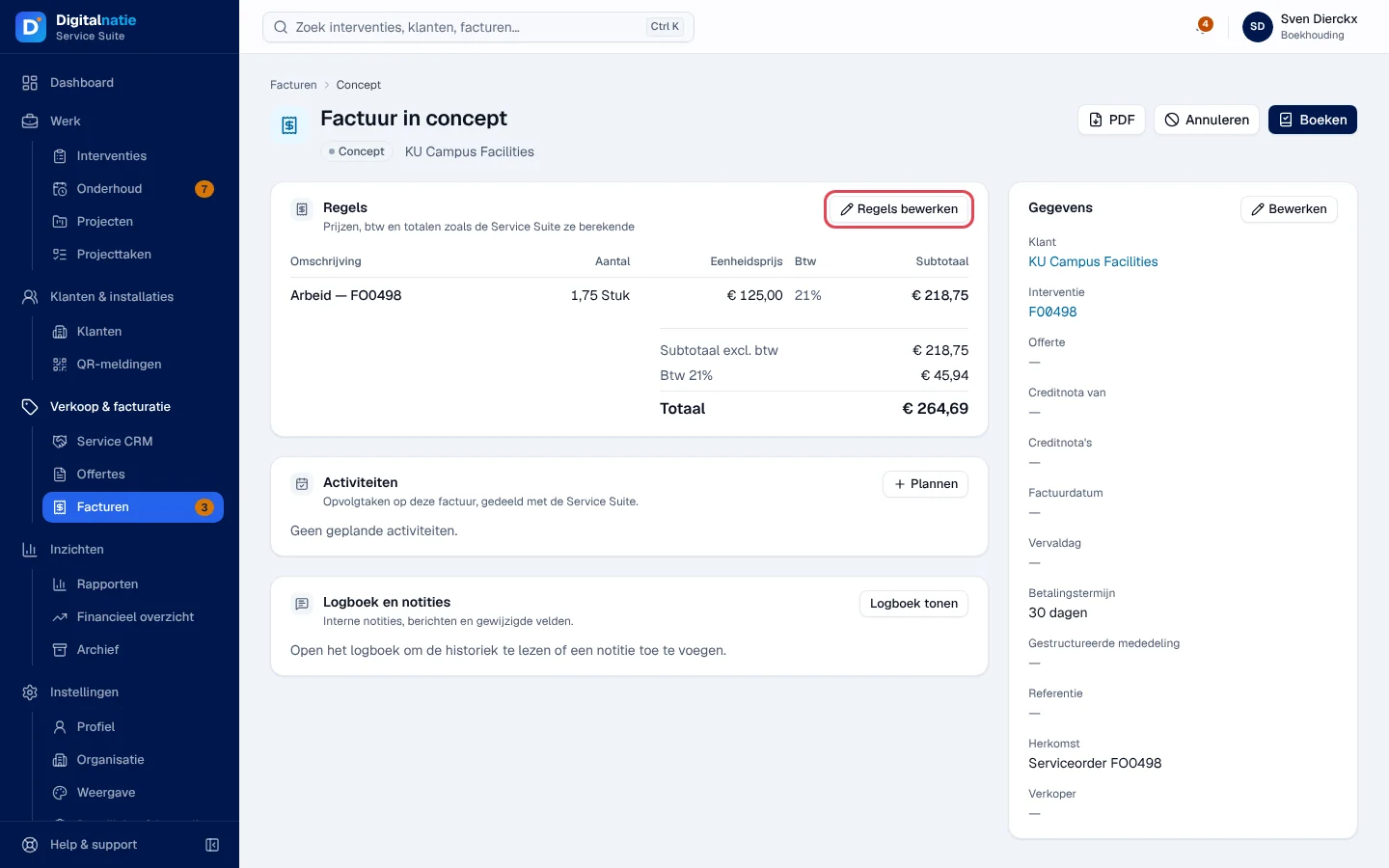
The invoice. Accounting opens the Te factureren (to invoice) view of the interventions, then Factuur maken (create invoice) on the record: a draft invoice takes over the hours and parts. They check it, add a travel charge if needed, then Boeken (post) and Versturen (send). Guide: Invoices.
-
The payment. When the customer has paid, Betaling registreren (record payment) on the invoice. The balance drops to zero.
-
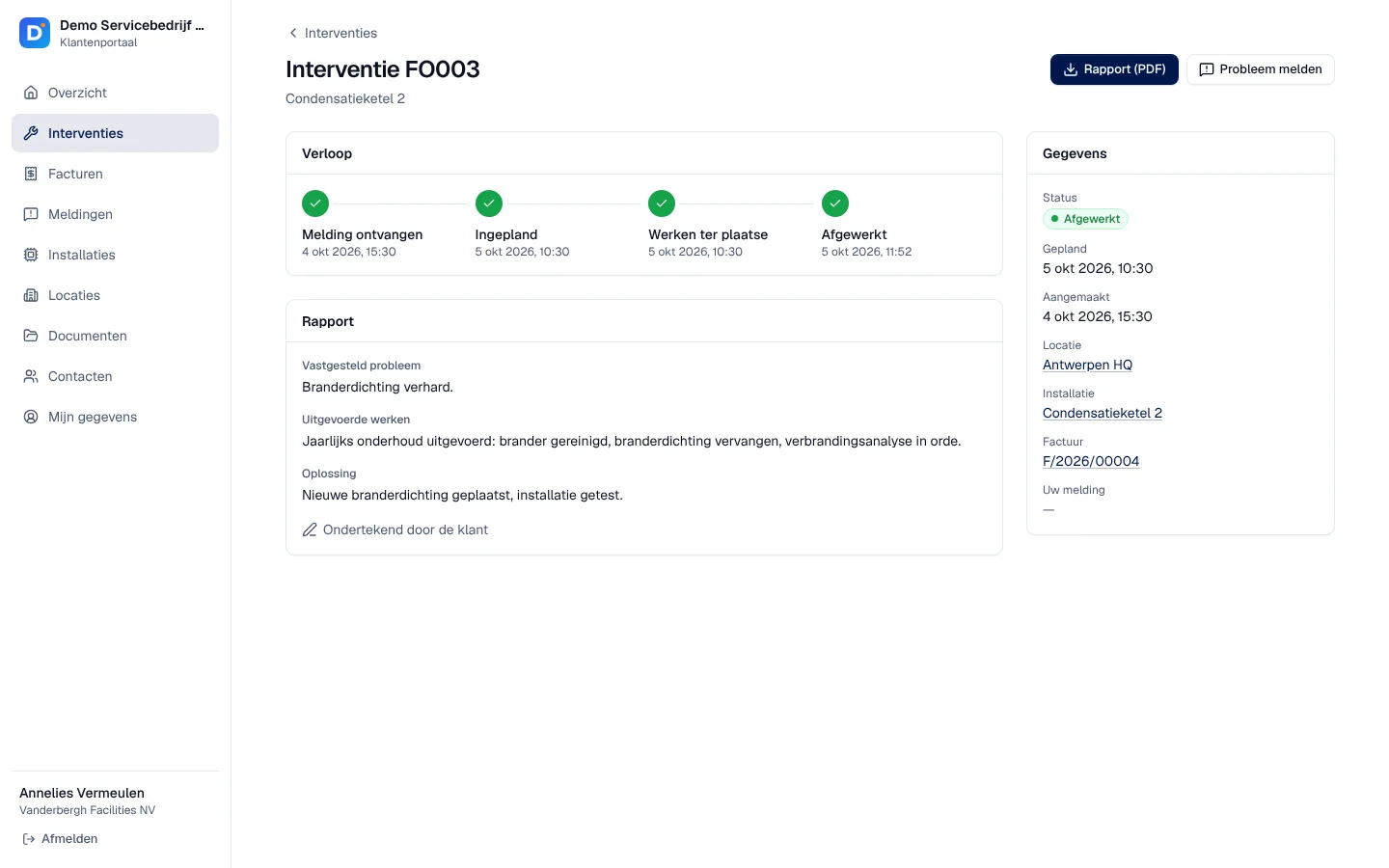
The follow-up by the customer. If your customer has access to the portal, they find the completed intervention, the signed report and their invoice there, as PDFs. Guide: The customer portal.
Variants
Section titled “Variants”- The customer reports the breakdown themselves using the installation’s QR code: From QR report to intervention.
- The work was the subject of an accepted quote: From quote to invoice.
- A part is missing from the van: From missing parts to the van.
- It is a maintenance visit planned under a contract: From contract to maintenance visit.