

Configuration
Configuration is the only administration page you need. One page, fifteen blocks, and behind every link the real screen.
You open it via Configuration at the bottom of the left-hand menu.
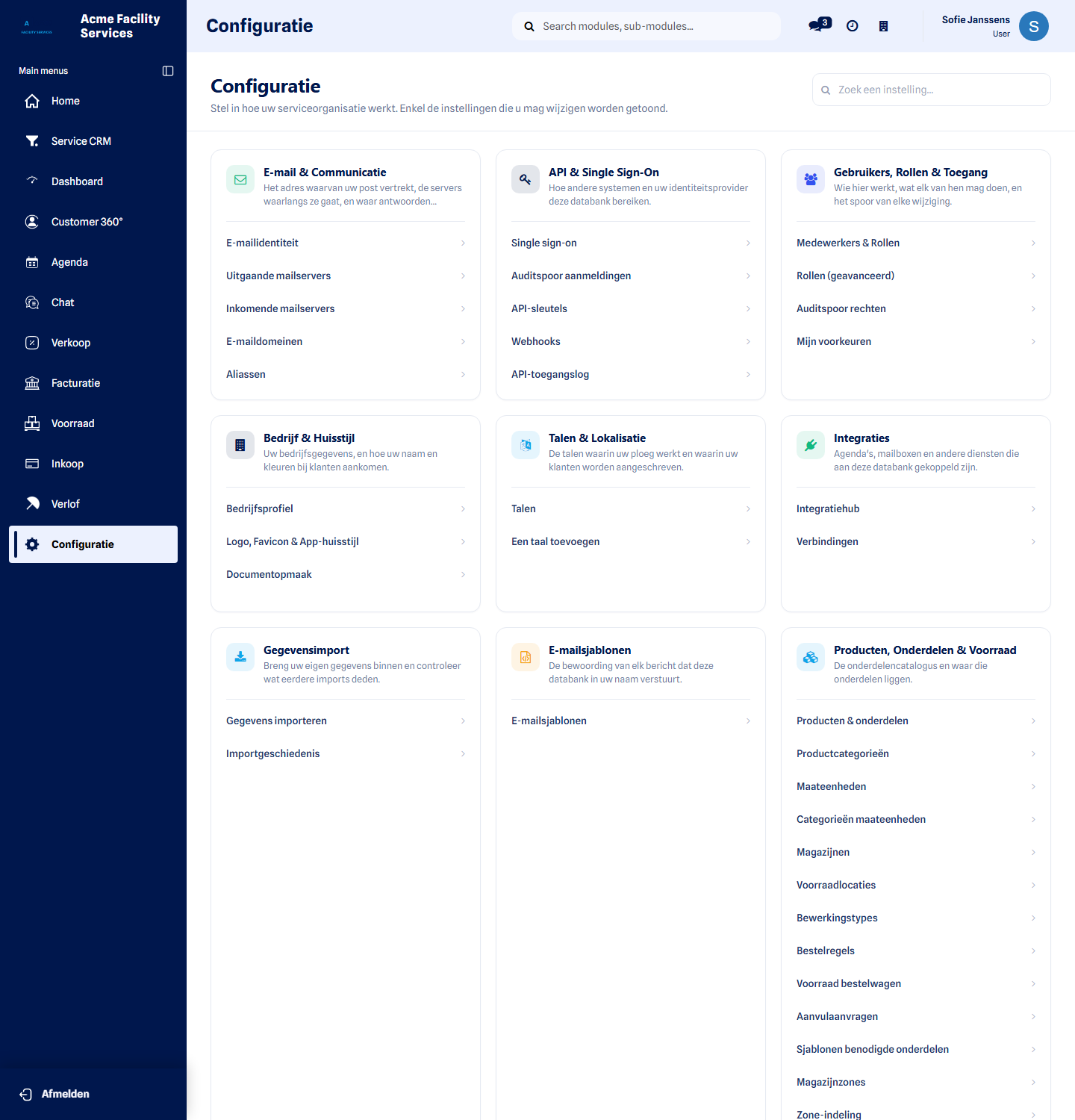 One page — and you only see what you may change.
Who can open the page
Section titled “Who can open the page”| Role | Sees Configuration |
|---|---|
| Customer administrator | Yes — including company, branding, languages and email |
| Integrations administrator | Yes — the connections only |
| Service Suite administrator | Yes — the operational blocks |
| Planner / dispatcher | Yes — planning, interventions, techniekers |
| Warehouse manager | Yes — products, parts and stock only |
| Technieker | No |
A warehouse manager who is not a service administrator therefore does see the page, but it holds only the blocks they actually manage.
Search
Section titled “Search”At the top there is a Find a setting… field. It filters the blocks and links
as you type. Type template, for example, to see every template at a glance, no
matter which block it sits in.
The blocks
Section titled “The blocks”The blocks come in two groups: first what you set as an administrator, then the operational settings.
Administration
Section titled “Administration”Company & Branding — company profile, logo, favicon, email colours, app branding and document layout. See Company & branding.
Users, Roles & Access — invite colleagues, assign roles, the permission audit trail and your own preferences. See Permissions and roles.
Languages & Localisation — the languages of your environment, the working language per colleague and the time zone. See Languages & localisation.
Email & Communication — sender identity, outgoing and incoming mail servers, email domains and aliases. See Email & communication.
Email Templates — the wording of every message your environment sends on your behalf.
Integrations — integration hub, connections and providers. See Integrations.
API & Single Sign-On — single sign-on, API credentials, webhooks and the matching logs. See Single sign-on and API.
Data Import — import data and import history. See Import data.
Operations
Section titled “Operations”Service & Operations — service order types, stages, service teams, technieker categories, tags, order templates, task types and billing rules.
Customers, Sites & Assets — customers, contacts, sites and locations, site techniekers, assets, stages, equipment, asset health rules, service regions and QR codes.
Maintenance & Contracts — maintenance contracts, contract types, maintenance frequencies, frequency rule sets and preventive maintenance templates.
Products, Parts & Stock — products, categories, units of measure, warehouses, stock locations, operation types, reordering rules, van stock, replenishment requests, required parts templates and warehouse zones.
Planning & Field Team — techniekers, vans, routes, day routes, route days, skills, blackout days, peak days and time windows.
Safety — LMRA templates, hazards, PPE catalogue and rules, checklist templates, risk register, risk rules and site environments.
Templates & Documents — every reusable template in one list, plus the controlled documents.
Behind a link is the real screen
Section titled “Behind a link is the real screen”A link does not take you to a stripped-down copy, but to the real management screen. If you may create records there, the usual New button is simply present.
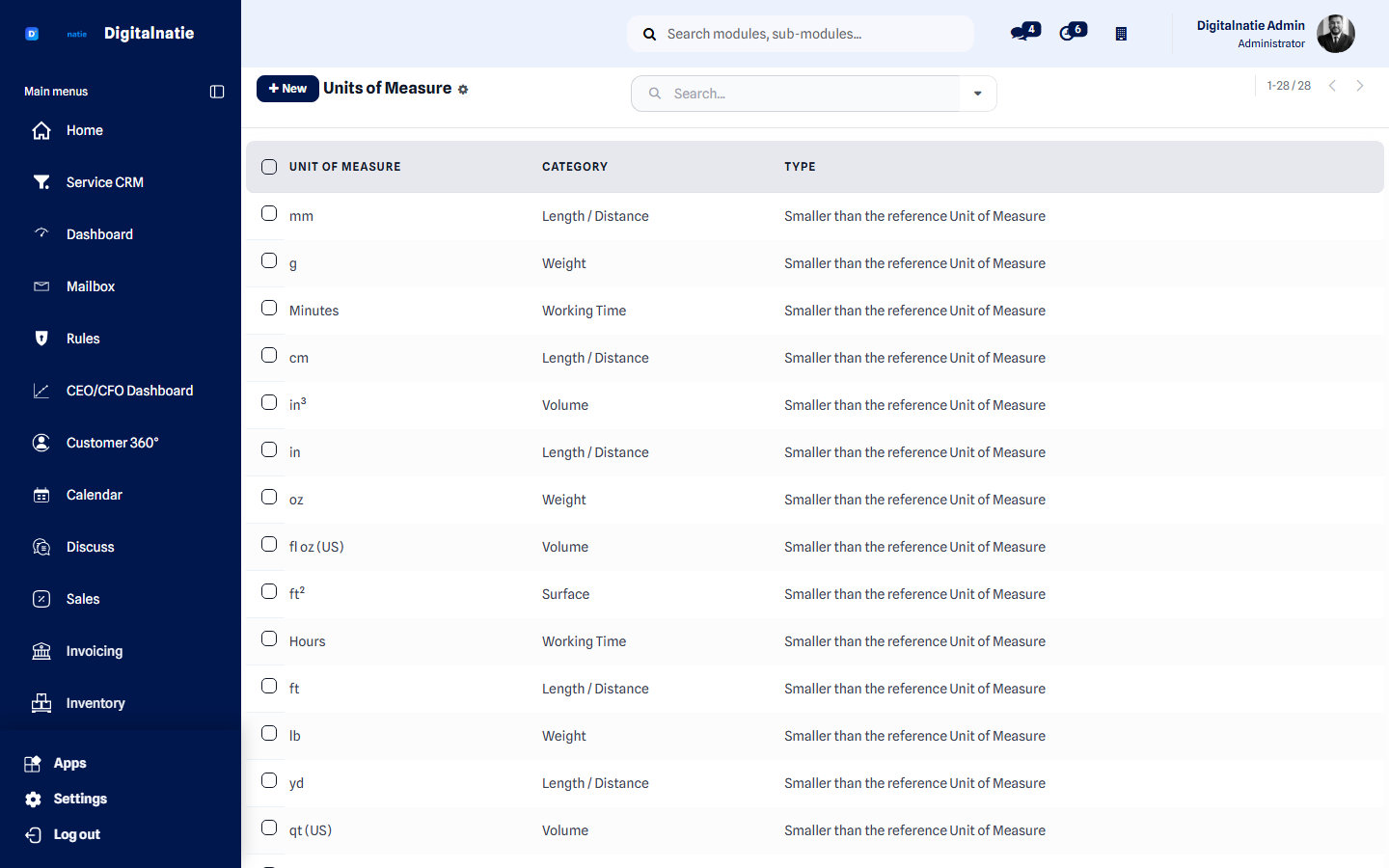 Units of measure opened from Configuration: the familiar list, with New at the top left.
Something you expected is not there?
Section titled “Something you expected is not there?”Three possible reasons, in order of likelihood:
- You do not have the right. Ask your administrator for the correct role.
- The feature is not part of your environment. Blocks only appear when the matching feature is installed.
- It is not a setting but daily work. Interventions, quotations and invoices live in their own app, not here.
Next step
Section titled “Next step”Configure your Service Suite — the full order, from company details to go-live.