

Languages & localisation
Your team does not necessarily work in the same language as your customers. This block sets both. You find it under Configuration → Languages & Localisation.
Languages of the environment
Section titled “Languages of the environment”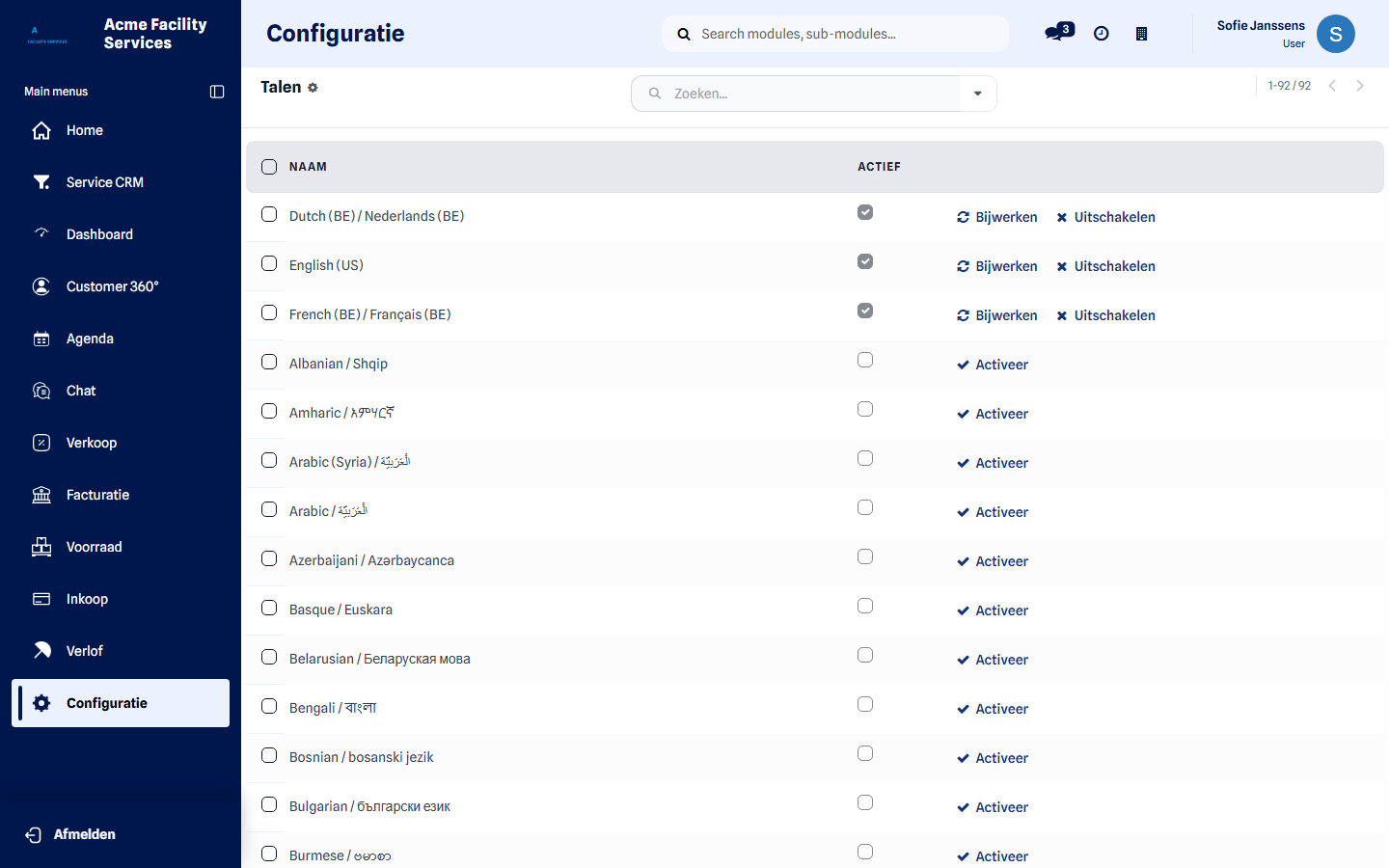
- Languages — the list of all languages, with a switch per language. An active language can be chosen by anyone; an inactive one appears nowhere.
- Add a language — loads a language that is not available yet. It takes a moment: the full translation is fetched.
A language still in use cannot simply be switched off — the environment says so when that is the case.
Three places where language is decided
Section titled “Three places where language is decided”| Where | What it decides | Who sets it |
|---|---|---|
| Languages (this block) | Which languages are available at all | Customer administrator |
| My preferences | The language one colleague works in | Every colleague themselves |
| The customer record | The language of quotations, reports and invoices for that customer | Whoever manages the customer |
My preferences also holds your time zone. That decides how schedules, appointments and intervention times are shown on your screen — for a team spread over several time zones, it is the difference between a correct planning and an unusable one.
Who can change this
Section titled “Who can change this”The languages of the environment: the customer administrator role. Every colleague changes their own working language and time zone themselves, a technieker included.
What happens after saving
Section titled “What happens after saving”A newly activated language can be chosen immediately. Whoever changes their own language sees it after reloading the page. Documents you already sent stay in the language they were written in.
Next step
Section titled “Next step”Continue with Email & communication to write to your customers in the right language and from the right address.