

LMRA — last minute risk analysis
An LMRA — last minute risk analysis — is the very last look around the technieker takes on site, immediately before starting. Not at the office, not the day before: at the workplace itself, with the situation as it actually is.
It answers one question: is anything visible right now that prevents the work from being carried out safely?
Step 1 — the planning decision
Section titled “Step 1 — the planning decision”Every service order carries LMRA required with three possible values. The planner sets it before the intervention leaves.
| Setting | Meaning |
|---|---|
| Required | An LMRA must be completed and confirmed before work starts. |
| Not required | No LMRA is needed for this job. |
| Decide on site | The technieker decides, with the situation in front of them. |
Decide on site is the honest option for routine work at an unfamiliar site: you do not force a form where it adds nothing, but you leave the door open for the technieker who arrives and sees something wrong. Until they choose, the order sits at Decision pending on site.
Step 2 — the technieker on site
Section titled “Step 2 — the technieker on site”The technieker opens the LMRA in the app and works through the questions. Each answer is Yes, No or — where allowed — N/A.
A No automatically creates a hazard. That hazard gets a severity, and the technieker may raise it when reality is worse than the form assumed.
| Severity | Consequence |
|---|---|
| Info | Recorded, work may start |
| Caution | Recorded, work may start |
| Danger | Work may not start while it is open |
| Stop Work | Work may not start while it is open |
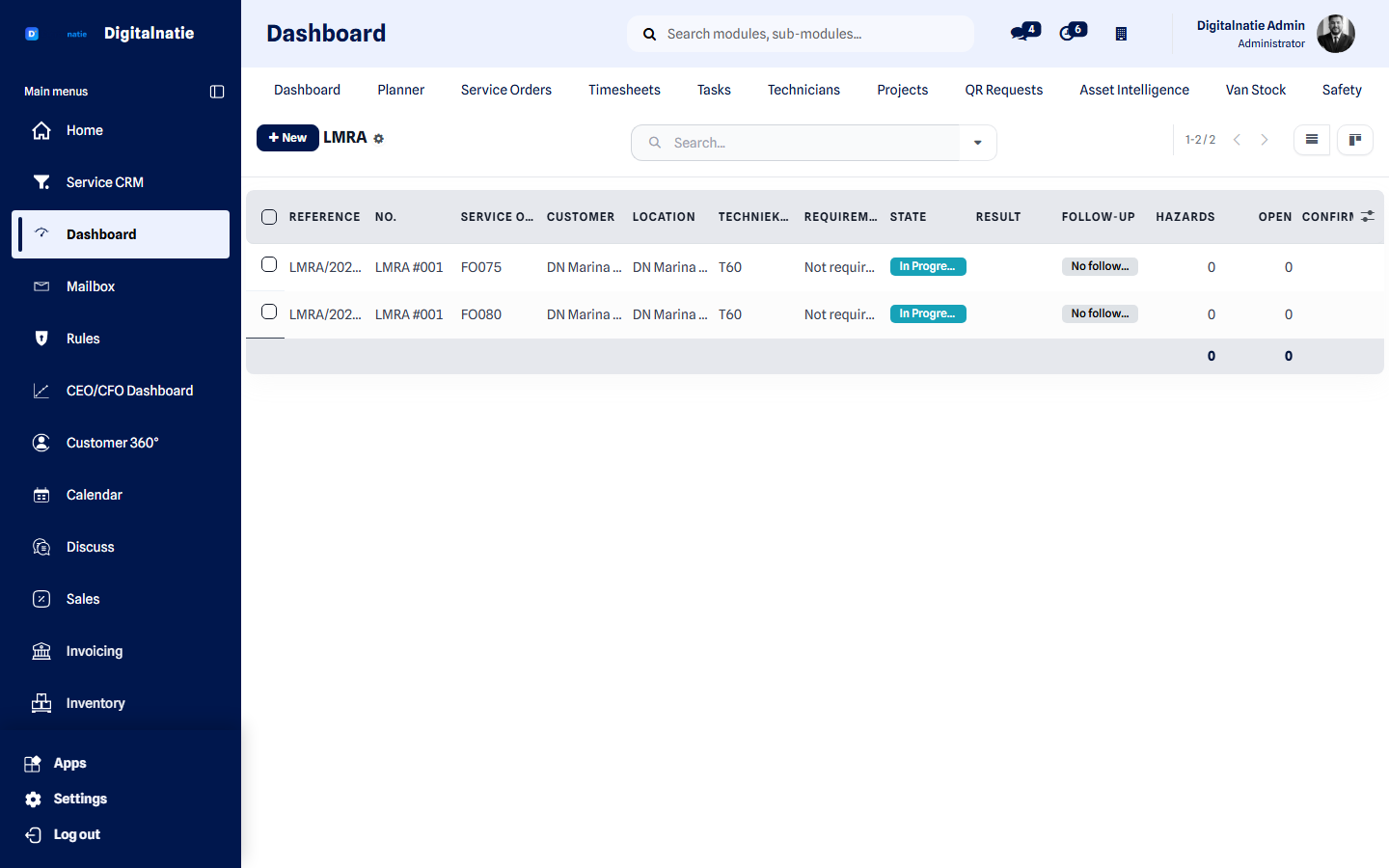 All LMRAs with their status, the intervention concerned and the technieker who completed it.
Step 3 — what stops the work
Section titled “Step 3 — what stops the work”Service Suite refuses to move an intervention to In Progress when:
- an LMRA is required but not completed;
- it is completed but not confirmed;
- there is an open hazard of severity Danger or Stop Work;
- the planner chose Decide on site and the technieker has not decided yet.
Step 4 — resolving a hazard
Section titled “Step 4 — resolving a hazard”-
The technieker or the planner records the corrective action: what was done to remove the hazard.
-
The hazard is closed. Photos and remarks are kept.
-
The intervention status follows automatically. With nothing open, work can start.
If the hazard persists — missing scaffolding, an installation that cannot be made dead — the intervention is rescheduled rather than forced. That is the whole point of the mechanism.
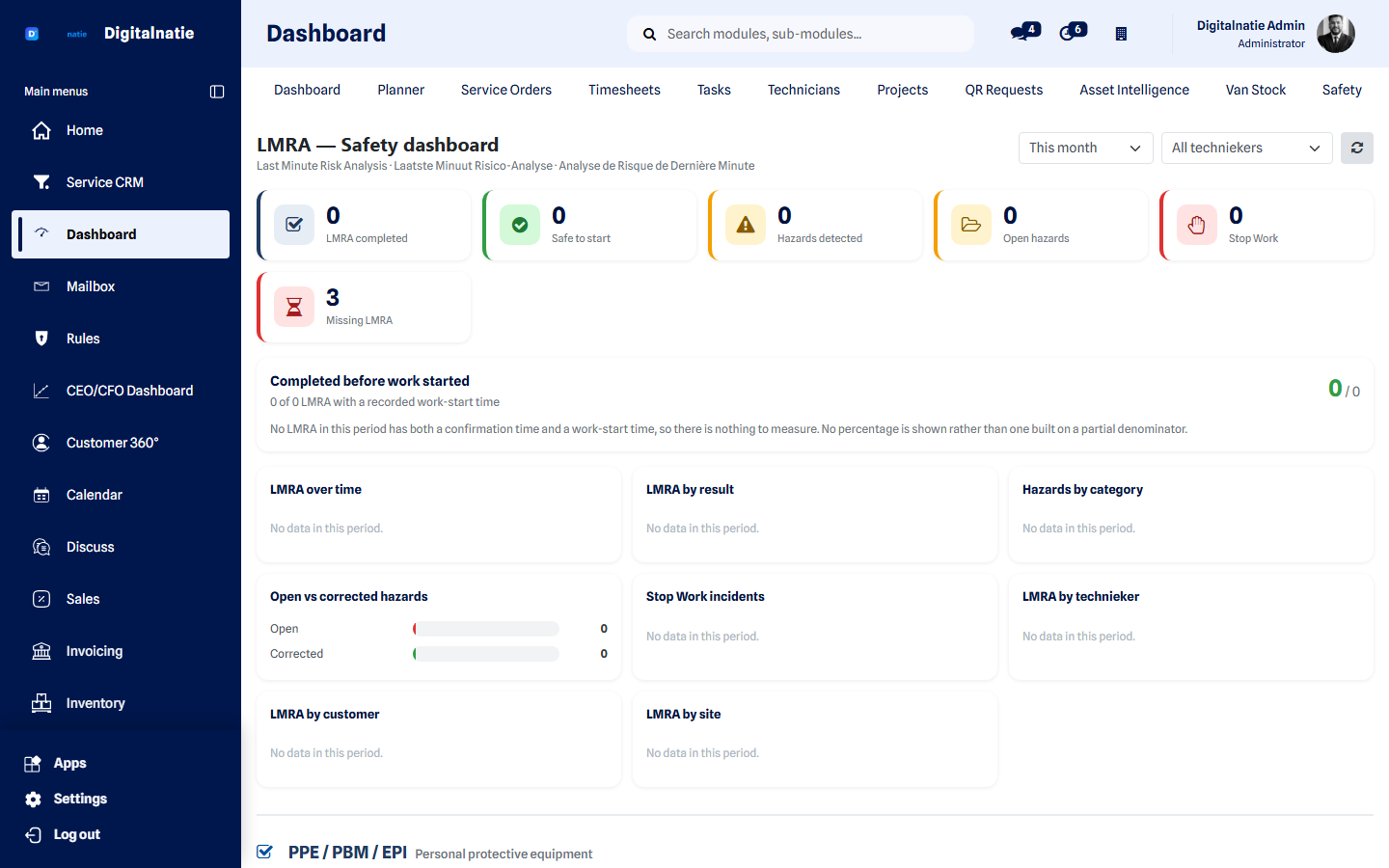 The dashboard shows blocked interventions and open hazards at a glance.
Who does what
Section titled “Who does what”| Role | Responsibility |
|---|---|
| Manager | Writes the LMRA templates: which questions, which severity on a No. Follows up hazards that repeat. |
| Planner / dispatcher | Sets Required, Not required or Decide on site per job, and sees which interventions are stuck. |
| Technieker | Completes the LMRA on site, reports what they see, and records the corrective action. |
What you find in the menu
Section titled “What you find in the menu”Under Dashboard → Safety:
| Menu | For |
|---|---|
| LMRA Dashboard | Today’s safety picture |
| LMRA | All completed analyses |
| Hazards | The hazard register, with severity and corrective action |
| Blocked interventions | What may not start right now |
| LMRA Templates | The question sets themselves |