

Public API
The public API lets your own software talk to Service Suite: an accounting package that pulls invoices, a customer portal that creates an intervention, a dashboard that tracks the status of your assets.
It is a product interface: you work with customers, locations, assets, service orders, contracts, stock and invoices. You never need to know how Service Suite is built internally.
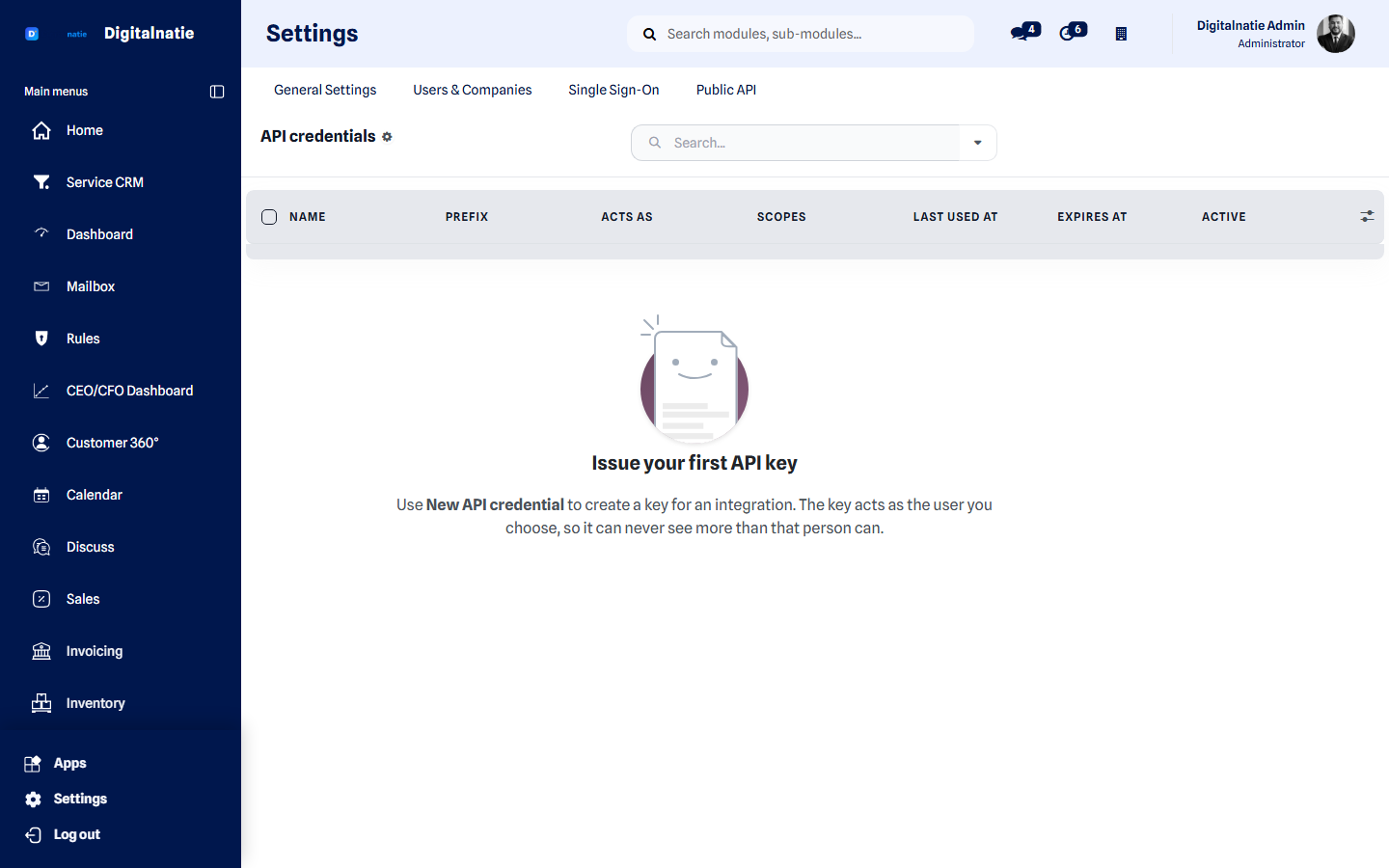 The API credentials screen. A key always acts as a chosen user.
What you use this for
Section titled “What you use this for”- Keeping customers and sites in step with your existing management system.
- Letting another system create service orders — a monitoring tool, a web form, a customer portal.
- Reading invoices and stock levels for reporting.
- Notifying an external system as soon as an intervention is finished.
Who can use this
Section titled “Who can use this”| Role | What they do |
|---|---|
| Administrator | Creates keys, grants permissions and revokes keys |
| Your developer or supplier | Uses the key to integrate |
Prerequisites: administrator access to Service Suite, and somebody who can build the integration. No extra licence or module is needed.
Quick start
Section titled “Quick start”| Base URL | https://<your-service-address>/api/v1/ |
| Specification | /api/v1/openapi.json — OpenAPI 3.1 |
| Documentation page | /api/docs |
curl https://<your-service-address>/api/v1/me \ -H "Authorization: Bearer <API_KEY>"/me is the health check: it proves the key works and shows exactly what it may
do.
{ "data": { "credential": { "name": "Accounting — nightly sync", "prefix": "a1b2c3d4", "scopes": ["customers:read", "invoices:read"], "expires_at": null }, "acting_as": { "id": 42, "name": "Accounting integration" }, "api_version": "v1" }}Creating a key
Section titled “Creating a key”-
Go to Settings → Public API → New API credential.
-
Give the key a name that says what it is for. That name appears in the access log.
-
Choose which user the key acts as. This is the real permission boundary — see below.
-
Tick the scopes the integration needs, and no more.
-
Optionally set an expiry date and allowed IP ranges.
-
Save. The secret is shown once. Copy it straight into your password vault.
A key is not a permission
Section titled “A key is not a permission”Every request runs as the chosen user, with that person’s rights and visibility scope. A key tied to a technician who only sees their own orders sees exactly the same through the API — no more.
So the key’s scopes can only narrow, never widen. Create a dedicated user for integrations with exactly the rights the integration needs.
Scopes
Section titled “Scopes”| Scope | What it opens |
|---|---|
customers:read / customers:write | Customers |
locations:read / locations:write | Sites & locations |
assets:read / assets:write | Assets & equipment |
service_orders:read / service_orders:write | Service orders |
contracts:read | Maintenance contracts |
stock:read | Stock |
invoices:read | Invoices |
reports:read | Reporting data |
webhooks:manage | Managing webhooks |
Stock and invoices are read-only in v1. Journal entries and stock movements happen in Service Suite itself, not through the API.
What you can read and change
Section titled “What you can read and change”| Resource | Read | Create | Update | Archive |
|---|---|---|---|---|
customers | ✅ | ✅ | ✅ | ✅ |
locations | ✅ | — | ✅ | — |
assets | ✅ | ✅ | ✅ | ✅ |
service-orders | ✅ | ✅ | ✅ | — |
contracts | ✅ | — | — | — |
stock | ✅ | — | — | — |
invoices | ✅ | — | — | — |
GET /api/v1/<resource> listGET /api/v1/<resource>/<id> one recordPOST /api/v1/<resource> createPATCH /api/v1/<resource>/<id> updateDELETE /api/v1/<resource>/<id> archive (never a permanent delete)DELETE archives. Nothing is ever permanently deleted through the API.
Pagination, filtering and sorting
Section titled “Pagination, filtering and sorting”curl "https://<your-service-address>/api/v1/assets?customer_id=57&page=2&page_size=100&sort=-write_date" \ -H "Authorization: Bearer <API_KEY>"| Parameter | Default | Maximum |
|---|---|---|
page | 1 | — |
page_size | 50 | 200 |
Ask for more than 200 and you get 200 — not an error.
Sort with sort, several fields separated by commas, - in front for
descending. Filter with the resource’s filter names; updated_since exists on
every resource and is what you need for an incremental sync.
Sort and filter names are fixed per resource. A name that does not exist is rejected rather than quietly ignored — so you catch a typo immediately, instead of discovering months later that your filter never worked.
Retrying safely
Section titled “Retrying safely”Send your own Idempotency-Key with every POST:
curl -X POST https://<your-service-address>/api/v1/service-orders \ -H "Authorization: Bearer <API_KEY>" \ -H "Idempotency-Key: <UNIQUE_VALUE_PER_REQUEST>" \ -H "Content-Type: application/json" \ -d '{"customer_id": 57, "location_id": 112, "description": "Annual maintenance"}'If you lose the connection and retry with the same key value, you get the original result back instead of a second service order. Without that header, a repeated request is a genuine second request.
Every request also returns an X-Request-Id. Quote it when reporting a
problem — it is how your request is found in the log.
Request rate
Section titled “Request rate”| Kind | Per minute |
|---|---|
| Read | 600 |
| Write | 120 |
| Managing webhooks | 60 |
| Failed authentications | 20 |
The counter runs per key, so a busy integration does not spend another’s budget.
On exceeding it you get 429 with a Retry-After header. Respect it and retry
with increasing backoff.
Errors
Section titled “Errors”| Code | Meaning | What you do |
|---|---|---|
400 | Invalid parameter or field | Correct the request; the response names the field |
401 | Key missing, wrong, expired or revoked | Check the key |
403 | The key lacks the scope, or the user lacks the right | Grant the scope, or adjust the user’s permissions |
404 | Does not exist, or is outside the user’s scope | Check the id and the permissions |
409 | Conflict — for example a reused Idempotency-Key with different content | Use a new value |
429 | Too many requests | Wait and retry |
A 403 from a missing scope and a 403 from missing user permissions need
different fixes. The response says which of the two it is.
Webhooks
Section titled “Webhooks”Instead of polling, let Service Suite notify you.
| Event | When |
|---|---|
service_order.created | A service order was created |
service_order.updated | A service order was changed |
service_order.status_changed | The status changed |
service_order.completed | The intervention was finished |
asset.created / asset.updated | An asset was created or changed |
contract.created | A maintenance contract was created |
invoice.posted | An invoice was posted |
Every delivery carries an HMAC-SHA256 signature. Verify it before using the content — that is how you know the notification really came from your environment. Deliveries happen in the background and are retried with increasing backoff on failure.
Your receiving address must be publicly reachable. Addresses on a private network are refused.
Separation between environments
Section titled “Separation between environments”Every customer works in their own separated environment. The API determines that environment from the address you call it on; there is no parameter to switch environments, and one is refused. On top of that, every key is bound to the environment that issued it, so a copy of an environment can never be reached with the original’s keys.
Auditing
Section titled “Auditing”Every request is recorded: timestamp, key, method, resource, response code, duration and an indication of origin. Request bodies, keys and headers are never recorded. That keeps the log useful for investigating a problem without becoming a second copy of your data.
Known limitations
Section titled “Known limitations”Stated rather than left unsaid.
- Stock and invoices are read-only in v1. They cannot be created or modified through the API.
- Techniekers, teams, projects and hours have no resource of their own in v1.
- The API has one version,
v1. Changes that would break existing integrations go into a later version, not this one.
Good practice
Section titled “Good practice”- One key per integration, never one shared key. That way you can revoke one without breaking the rest.
- Grant only the scopes the integration uses. Start with read-only.
- Always use
Idempotency-Keywhen creating. - Sync incrementally with
updated_sincerather than fetching everything each time. - Store the secret in a vault, never in source code or in a configuration file that goes into version control.
- Set an expiry date for keys held by external parties.
Next step
Section titled “Next step”- Permissions & security — which user the key becomes
- Integrations — ready-made connections
- Automation Hub — automating without programming
- Sign in with Microsoft or Google